
Real estate video is the format that gives buyers the spatial experience of a home before they book a showing. This guide covers why listing video works, the six types every agent should know, how to produce each one, and the platform specs that determine whether a video performs or sits unseen.
Why real estate listing video attracts more buyers in 2026
Video gives buyers the spatial experience of a property that listing photos alone cannot convey. Agents who post listing video consistently attract more inbound inquiries, and social platforms surface it to buyers who have not yet searched a specific address.
Home searches start on a phone, and social feeds reward video with far more reach than photo posts. A 30-second Reel showing the kitchen, the yard, and the street reaches buyers who have not typed your listing address into any search bar yet. That reach expands your audience beyond intent-based search.
Buyers also spend more time on listing pages that include video than on photo-only pages. That engagement signals intent to portal algorithms and to your own analytics, so you can follow up with the most active leads first. A short tour pre-qualifies buyers before the first call.
For a full strategy around turning video views into appointments, the real estate video marketing guide maps each video type to buyer intent and outlines a weekly publishing cadence.
Video also builds personal brand alongside listing content. Buyers often browse an agent’s profile for 30 to 60 seconds before deciding to reach out. An agent intro video on the profile multiplies touchpoints and makes that decision faster.
Types of real estate video and when to use each
Six video formats cover the full listing lifecycle: the property walkthrough, drone footage, neighborhood tour, agent intro, just-listed social reel, and client testimonial. Each serves a different buyer intent.
| Video type | Use case | Recommended length | Best platform | Production path |
|---|---|---|---|---|
| Property walkthrough | Core listing asset filmed from entry through main rooms to backyard | 60 to 90 seconds | Listing page, YouTube, Facebook | Usually filmed on site |
| Drone footage | Lot size, water or park proximity, roof condition, and neighborhood density | 15 to 45 seconds | Reels, TikTok, YouTube | Requires a licensed operator for commercial drone work |
| Neighborhood tour | Coffee shops, schools, parks, commute routes, and lifestyle context | 60 seconds | YouTube, Reels, TikTok | Filmed on site |
| Agent intro | Profile trust and first-message confidence | 30 to 60 seconds | Profile page, website, pinned social post | Filmed on camera |
| Just-listed social reel | Fast listing teaser with price and CTA | 15 to 20 seconds | Reels, TikTok, Shorts | Can be made from listing photos |
| Client testimonial | Seller or buyer proof in their own words | 45 to 90 seconds | Search, profile pages, feed posts | Filmed with client permission |
Property walkthrough. A 60-to-90-second interior tour filmed in sequence from the front door through the main rooms to the backyard. This is the core listing asset. Film it the same day as the listing photos while the property is staged, then cut it in a free mobile editor before the listing goes live.
For tips on smooth camera movement through tight hallways and rooms, the real estate walkthrough video guide covers technique and shot order in detail.
Drone footage. An aerial perspective that shows lot size, proximity to parks or water, the roof condition, and neighborhood density. Commercial drone operations require an FAA Part 107 Remote Pilot Certificate in the United States. Hold that cert or hire a licensed operator for every aerial shoot.
Neighborhood tour. A 60-second video covering the nearest coffee shop, the school, the park, and the commute route. Neighborhood content continues to generate views and leads long after the listing sells, because it answers the question buyers have before they ask the price.
Agent intro video. A 30-to-60-second clip that puts your face on your profile page and your bio. A photo-only profile asks a buyer to make a decision about someone they have never met. A video intro gives them the equivalent of a first handshake before the first message.
Just-listed social reel. A 15-to-20-second vertical teaser cut to music, posted the day the listing goes live. Lead with the most striking visual in the first two seconds, add the price as on-screen text, and close with a call to action pointing to the full listing page.
Client testimonial. A 45-to-90-second clip of a satisfied seller or buyer describing the sale in their own words. Testimonial videos perform well in search and on profile pages because algorithms surface human faces, and buyers respond to peer accounts before they trust a marketing claim.
For ideas on combining these formats into a monthly content calendar, see real estate video marketing ideas.
How to make a real estate video: DIY, phone, or AI
Three paths fit different budgets and listing volumes. A phone shoot costs almost nothing but takes one to three hours per listing. An AI tool renders video from listing photos in about two minutes.
DIY with your phone. Set the camera to 4K at 30 frames per second, shoot vertical for social, open every blind, lock exposure and focus by tapping and holding the subject, and walk slowly through each room. Free mobile editors like CapCut or Canva handle cuts, music, and captions. Total time runs roughly two hours once you have a shot-list routine. The step-by-step process, including a copy-paste shot list and phone settings cheat sheet, is in the how to make a real estate video guide.
AI from listing photos. Upload 12 to 20 listing photos and confirm the property details. PropFade animates each image with subtle motion, generates a voiceover from the listing facts, adds captions, and exports three formats: a 9:16 reel for Instagram and TikTok, a 1:1 square for the feed, and a 16:9 cut for the listing page and YouTube. The render takes about two minutes. This path fits vacant homes, out-of-town listings, batch processing, and any day the schedule has no room for an on-site shoot.
Make your first listing video
Upload your photos and get a finished video back in about two minutes.
Hiring a videographer. Full-service residential video production in most US markets runs from around $200 for a basic single-cut shoot to over $600 for a multi-cut shoot with drone footage and branded editing (check current local rates, as they vary widely by market and service scope). The investment fits a luxury listing, a new-construction development, or any property at a price point where production quality is a visible signal to sellers evaluating which agent to hire.
Real estate video formats and specs for every platform
Each platform requires a specific aspect ratio and content length. Export one project as three cuts: 9:16 vertical for social, 1:1 for the feed, and 16:9 for YouTube and listing pages.
| Platform | Aspect ratio | Best listing length | Notes |
|---|---|---|---|
| Instagram Reels | 9:16 | 15-60 seconds | Longer Reels up to 3 minutes work for full tours |
| TikTok | 9:16 | 30-60 seconds | Platform supports up to 10 minutes; short clips get more reach |
| YouTube Shorts | 9:16 | 30-60 seconds | Hard cap at 60 seconds; best for just-listed teasers |
| YouTube full video | 16:9 | 90 seconds-3 minutes | Higher-intent audience; suits full property tours |
| Instagram feed | 1:1 | 30-60 seconds | Square crop; sits cleanly in profile grid |
| 16:9 or 1:1 | 60-90 seconds | Slightly older demographic; suits neighborhood and full tours | |
| Listing page embed | 16:9 | Full tour length | Embed the YouTube link for MLS portal compatibility |
| MLS media field | 16:9 | Board-specific | Check local board spec; most boards accept MP4 via direct URL |
Export at 1080p minimum and 4K where the platform supports it. Compress to MP4 using H.264 or H.265 for reliable playback across devices. For MLS and portal embeds, Zillow and Realtor.com both pull from a YouTube URL, so the 16:9 YouTube upload doubles as your MLS media asset.
Instagram Reels and TikTok both enforce per-file size limits regardless of resolution, so compress before uploading and test playback on a phone before scheduling the post.
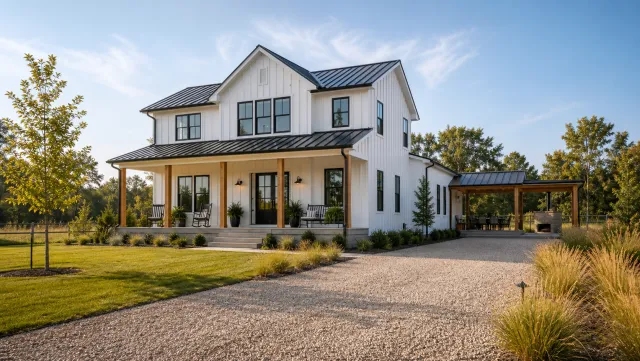
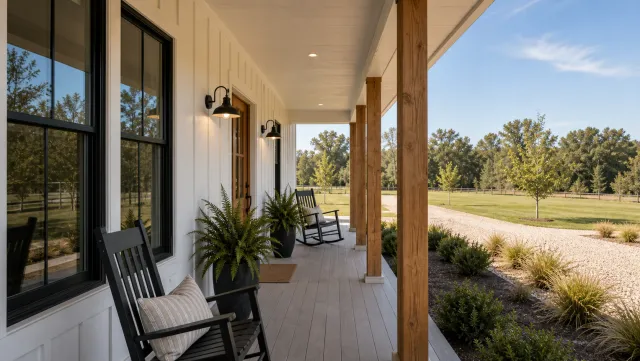
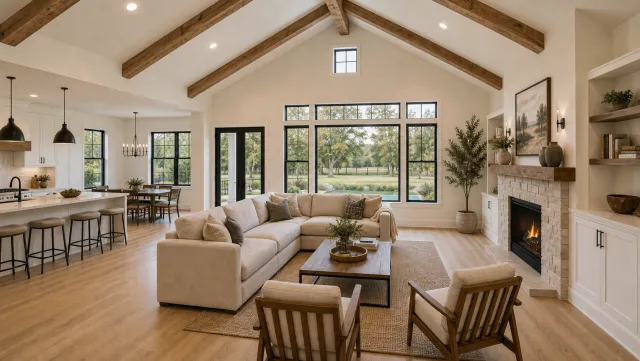
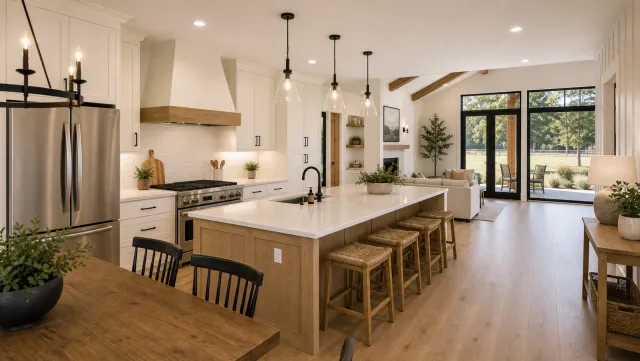
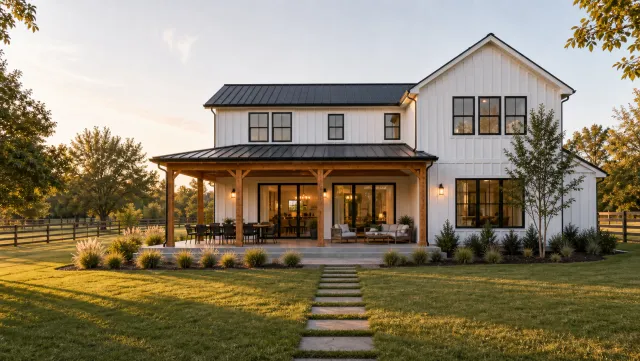
5 listing photos
1 finished video
The ai real estate video editor handles multi-format export from a single project, auto-generates captions for each cut, and syncs them to the voiceover so every format is platform-ready without a manual re-edit.
Tools and gear for real estate video production
A current smartphone, a free editing app, and good light cover the basics for most listings. A gimbal and a clip-on microphone are the two hardware upgrades that make the biggest quality difference.
Phone. Any flagship phone from the past three years shoots 4K at 30 fps with built-in optical stabilization, which is the production baseline for listing content. The iPhone 15 series and Samsung Galaxy S24 series both deliver image stabilization sufficient for handheld walkthroughs in bright rooms. Wipe the lens before every listing.
Gimbal. A smartphone gimbal (Zhiyun Smooth series or DJI OM series, starting around $60 to $100) removes walking shake and lets you execute a slow push-in shot that looks produced rather than handheld. Charge it the night before and keep it in the listing kit permanently.
Microphone. A wireless clip-on lavalier such as the Rode Wireless GO II or DJI Mic 2 (starting around $200 to $300) records clean dialogue for on-camera agent commentary. For voiceover recorded separately in a quiet room, a directional USB condenser microphone handles it for under $100.
Free editing apps. CapCut, Canva Video, and InShot handle cuts, text overlays, transitions, captions, and music on a phone at no cost. CapCut’s auto-caption feature burns subtitles in seconds. Canva syncs to a desktop browser for more precise timeline editing on longer cuts.
AI video tools. An ai real estate video editor takes listing photos as input rather than raw footage, automates voiceover from property data, and exports three formats in a single render pass. For agents producing ten or more listings per month, the reduction in editing time pays for the subscription quickly.
Drone. The DJI Mini 4 Pro (check current pricing; entry-level drone hardware starts under $800) is the standard choice for FAA Part 107-compliant commercial aerial footage. Platforms like DroneBase or a local Part 107 operator deliver aerial footage per listing with no equipment investment if you do not yet hold the certification.
Plan your video marketing
Strategy decides whether a video earns showings or sits unseen. The real estate video marketing guide is the strategic core: which video types map to which buyer intent, and the cadence that compounds an audience. When the calendar needs filling, the 27 video marketing ideas list covers a quarter of content beyond listings, and the marketing video how-to walks through producing the promotional formats that sell you rather than a single property.
For execution fundamentals, three guides cover the craft. The how to make a real estate video walkthrough is the step-by-step master process from phone settings to publish, the real estate video tours guide covers the structured tour format buyers watch start to finish, and the walkthrough videos guide goes deep on camera movement and shot order inside the property. To calibrate against finished work before you film, the 15 real estate video examples breakdown shows what converting videos do in the first three seconds.
Video ideas for every property type
A condo tour and a ranch listing should not follow the same script, and the property-type guides hand you shot lists tuned to what each buyer actually checks. For the urban formats, see the ideas guides for condos, townhouses, apartments, lofts, and studios: each leans on light, layout, and building amenities, the three things city buyers screen for first. The single-family home video ideas guide covers the bread-and-butter listing, ranch and single-story homes get a flow-focused treatment that suits step-free living, and new construction videos sell finishes and floor plans that photos flatten.
Premium and lifestyle properties reward a different pace. The luxury home video ideas guide covers the slower, cinematic treatment high-end buyers expect, and penthouse video ideas put the view and arrival sequence first. Location-led listings each get their own playbook: waterfront, beach houses, mountain and cabin properties, and golf-course homes all sell the setting before the structure, so the opening shots live outside the walls. For character properties, the historic home video ideas guide shows how to film period detail without reading as dated.
Investor-facing and specialty listings need numbers and context on screen. The investment property video ideas guide leads with rent rolls and unit condition, multi-family and duplex videos balance both units in one tour, and fixer-upper videos frame honest condition footage as opportunity. The vacation and short-term rental guide sells nightly-rate potential to two audiences at once, manufactured and mobile home videos counter category stigma with quality footage, tiny home videos make small spaces feel intentional rather than cramped, and 55+ retirement community videos film for the adult children who often screen first.
Rural and land listings are the hardest to photograph and the easiest to differentiate with video. The farm and ranch video ideas guide covers outbuildings, water, and working acreage, estates and acreage videos sequence large grounds without losing the viewer, and land and lot listing videos give an empty parcel boundaries, terrain, and context a survey map cannot. On the commercial side, commercial property video ideas cover the tenant-facing tour that leasing brokers actually send.
Choose your editing tools and assets
The tool decision is mostly a volume decision. The real estate video maker guide covers the photo-to-video category that produces listing videos in minutes, the 9 best real estate video apps comparison covers the mobile-first options, and the best video editor apps roundup ranks the editors agents actually keep using past the first month. For desktop work, the 7 best video editing software picks compare the timeline editors worth learning, and the real estate video templates library supplies the pre-built structures that make any of them faster.
When editing itself is the bottleneck, two guides cover the escape routes: the real estate video editing guide teaches the core cuts and pacing, and the video editing services comparison prices the done-for-you option per video. Round out production quality with the licensed music for real estate videos guide, which keeps your audio takedown-proof, and the stock video and B-roll guide, which fills neighborhood and lifestyle gaps you cannot film yourself.
Hire it out: production, pricing, and drone work
Outsourcing makes sense when listing volume or price point justifies it, and four guides scope the decision. The real estate video production guide explains the full professional workflow so you know what you are buying, the production services explainer breaks down what each service tier includes, and the video services overview maps deliverables to price so quotes stop being apples-to-oranges. When you are ready to choose a vendor, the choosing a video company guide gives you the questions that separate pros from hobbyists.
Budget the work with the real estate video pricing guide, which benchmarks current rates by scope and market, then use the videographers near you guide to weigh a local hire against remote production paths. For aerial work, the real estate drone video guide covers the FAA Part 107 rules, the gear tiers, and when a licensed operator beats buying a drone.
Commercial properties and social distribution
Commercial listings run on different buyer logic. The commercial real estate video guide covers the formats that work for office, retail, and industrial space, and the commercial video production guide scopes the bigger crews and longer timelines that segment expects. Once any video exists, the real estate videos for social media guide carries it the last mile: per-platform specs, caption patterns, and the posting windows that decide how far each cut travels.
Start your first listing video in three steps
The fastest path to a first listing video is three steps: collect the listing photos, run them through PropFade, and export the three finished formats. A filmed version adds a one-to-two-hour shoot before those steps, but the export process is the same.
Step 1: Gather the listing photos. Pull the 12 to 20 best images from the photographer’s delivery. Cover the exterior approach, the kitchen, the main living space, the primary suite, and the standout feature of the home. Crop any photo that shows stray objects or harsh shadows before uploading.
Step 2: Upload and customize. In PropFade, upload the photos and confirm the listing facts: address, price, bed count, bath count, square footage, and one highlight feature. The platform drafts the voiceover from those inputs and previews it before export.
Step 3: Export and publish. Export the 9:16 reel for Instagram and TikTok, the 1:1 cut for the feed, and the 16:9 cut for the listing page and YouTube. Schedule the reel to publish the day the listing goes live, then distribute the other two cuts across the following week as follow-up content.
For a full step-by-step filmed version, the how to make a real estate video guide covers phone settings, the eight-shot tour sequence, and editing from raw clips to a finished export.
Frequently asked questions
Yes. Agents who use listing video consistently report more inbound inquiries per property. Listings with video hold buyer attention longer on portal pages, and social platforms surface video to buyers who have not yet searched a specific address, extending reach beyond intent-based search alone.
The property walkthrough is the most versatile format: a 60-to-90-second interior tour that gives buyers the spatial experience of walking through the home. For social reach, a 15-to-20-second just-listed reel posted the day the listing goes live drives the most initial traffic. Drone footage adds value on properties where the lot, view, or neighborhood context are primary selling points.
Two paths work well. Film it on a phone: set 4K at 30 fps, shoot each room slowly, and edit cuts and captions in a free app like CapCut. Or skip filming entirely: upload 12 to 20 listing photos to PropFade, confirm the property details, and the platform renders three platform-ready formats in about two minutes.
DIY on a phone costs almost nothing beyond time (roughly two hours per listing once you have a routine). Hiring a local videographer typically runs from around $200 for a basic residential shoot to over $600 for a multi-cut shoot with drone footage, depending on the market. AI tools that render from listing photos offer a subscription priced below per-shoot videography rates for agents producing multiple listings per month.