
Real estate agents who post video consistently build a stronger local presence and generate more inbound inquiries than those who rely on static images alone. The challenge is knowing which video to make for each goal, each platform, and each week in the calendar. This guide gives you 27 specific ideas sorted by goal, a phone-only quick-shoot list, a photo-to-video path for weeks when filming is impractical, and a posting cadence to keep the content running.
For the strategy behind each video type and how to distribute each format, see the real estate video marketing guide.
27 real estate video ideas, sorted by goal
Twenty-seven real estate video ideas in six goal categories: five listing, five branding, four neighborhood, five education, four social-proof, and four seasonal. Pick one or two from each category per month for a full content calendar.
Copy and use the numbered list below as your planning reference.
Listing ideas (goal: attract buyers and drive showings)
-
Full property tour (60 to 90 seconds): Walk the buyer through the key rooms in order: exterior approach, entry, kitchen, main living space, primary suite, one standout feature, and a closing exterior shot. Keep each clip to two or three seconds so the pace holds attention throughout.
-
Just-listed teaser (15 to 20 seconds): Open on the home’s strongest exterior angle, cut to three quick interior highlights, and end on the address and price. Post this on the day of listing to capture early reach when the algorithm favors fresh content.
-
Standout-feature spotlight (30 seconds): Film one feature that makes the listing distinct, such as a chef’s kitchen, a private pool, floor-to-ceiling windows, or an original-period fireplace. One feature, one clip, one focused caption.
-
Price improvement announcement (10 to 15 seconds): A short talking-head clip announcing the new price, followed by two or three interior cuts. Price-adjustment videos earn strong organic reach because buyers who saved the listing are actively watching for updates.
-
Sold or under-contract update (15 seconds): Film yourself at the sold sign or do a screen recording of the listing status change. These posts serve as social proof for future sellers and generate celebratory engagement from past clients and their networks.
Branding ideas (goal: build name recognition and attract sellers)
-
Agent intro video (30 to 60 seconds): State your name, your market, your years in real estate, and one specific thing that shapes how you work with clients. Film it once and pin it to the top of your profile.
-
Team spotlight series: Film one team member per week in the same 30-second format: name, role, and one personal fact. A consistent weekly series trains the platform algorithm to surface your content on a regular schedule.
-
A day in the life (60 to 90 seconds): Film five or six short clips across a single workday: morning prep, a listing walkthrough, a showing, and a late-afternoon check-in. Voiceover ties the clips into a clear narrative.
-
Monthly market update (60 seconds): Three numbers your buyers and sellers track closely: median list price, median days on market, and months of supply. Display each number as on-screen text so viewers can screenshot and share the stats.
-
Client thank-you at closing (15 seconds): A brief clip at the closing table or at the door of the new home, filmed with the client’s permission. Short, genuine clips like this generate the highest share rates of any branding content type.
Neighborhood ideas (goal: capture area-search traffic and build local authority)
-
Neighborhood walkthrough (60 to 90 seconds): Walk or drive the main street, call out two or three landmarks by name, and include the neighborhood name in your caption and on-screen text. Buyers search by neighborhood before they search by individual listing.
-
Local business feature (30 seconds): Visit a coffee shop, restaurant, or boutique and film a 30-second visit. Tag the business so they share it with their own audience, giving you a co-promotion reach boost that requires no additional effort.
-
School district overview (60 seconds): Name the schools that serve the neighborhood, show the campus exterior if accessible, and note any key programs or district boundaries. Families relocating for school use this information before they book a single showing.
-
Commute time test (30 to 60 seconds): Drive from the neighborhood to the nearest employment center at a realistic hour, record the trip time on screen, and share the result. Out-of-area buyers rank commute time as a top decision factor, and this video answers the question directly.
Education ideas (goal: build trust with first-time buyers)
-
Buyer FAQ (60 to 90 seconds): Pick three questions you hear every week from first-time buyers, answer each in two clear sentences, and cut them together. Education videos build trust because they answer a real question before the buyer has to ask.
-
Seller prep checklist (60 seconds): A talking-head or screen-share walking through five or six pre-listing actions: declutter, deep-clean, touch up paint, fix minor repairs, and schedule a pre-listing inspection.
-
How offers work in your market (90 seconds): Explain contingencies, escalation clauses, and earnest money in plain language. Buyers and sellers who understand the process before they call you arrive with fewer questions and make decisions faster.
-
Things inspectors commonly flag (60 to 90 seconds): Walk through items that appear regularly on inspection reports: water heater age, HVAC filter condition, caulk around fixtures, and crawl space moisture. Sellers who watch this prep better and reduce re-negotiation rounds.
-
Closing cost breakdown (60 seconds): Use a screen-share of a generic settlement statement and walk through each line item by category. This single video answers the question most buyers ask loudest in the two weeks before closing.
Social proof ideas (goal: convert fence-sitters and earn referrals)
-
On-site client testimonial (30 seconds): Record 30 seconds with a satisfied buyer or seller at the property or at the closing table. One or two sentences of genuine reaction land more credibly than any scripted claim.
-
Before-and-after staging reveal (30 to 60 seconds): Show the empty or un-staged room, then cut to the staged version. Staging reveals consistently outperform listing tours in engagement because the visual transformation is immediate and dramatic.
-
Sold story (60 seconds): A brief recap of a recent transaction: the situation the client came to you with, the challenge you solved, and the outcome. Anonymize any details the client prefers to keep private.
-
Milestone post (15 to 30 seconds): Record a short thank-you video at a round-number milestone: 25 closings, 10 years licensed, or 100 five-star reviews. Milestone posts drive strong organic engagement and function as credibility signals for prospects comparing agents.
Seasonal ideas (goal: capture timely searches and stay top of mind)
-
Spring market outlook (January or February): Two or three sentences on inventory trends, buyer competition levels, and what sellers should expect in the first quarter. Post before the rush so buyers and sellers think of you when they are ready to move.
-
Summer open house recap (15 to 30 seconds): A short clip from an active open house: the crowd, the space, and the energy. These posts signal market activity to buyers who are still deciding whether now is the right time.
-
Back-to-school neighborhood feature (July or August): Cover school start dates, nearby parks, or an after-school program in the neighborhood. Families relocating for the school year search heavily during this window, and this video surfaces your listings to that audience.
-
Year-end market recap (November or December): Walk through your market’s year in numbers: total transaction volume, median price change, and months of supply at year-end. Sellers make the decision to list in January based on what they see in December content.
27 real estate video ideas by goal
- **Listing:** Full property tour, just-listed teaser, standout-feature spotlight, price improvement announcement, sold or under-contract update
- **Branding:** Agent intro video, team spotlight series, a day in the life, monthly market update, client thank-you at closing
- **Neighborhood:** Neighborhood walkthrough, local business feature, school district overview, commute time test
- **Education:** Buyer FAQ, seller prep checklist, how offers work in your market, things inspectors commonly flag, closing cost breakdown
- **Social proof:** On-site client testimonial, before-and-after staging reveal, sold story, milestone post
- **Seasonal:** Spring market outlook, summer open house recap, back-to-school neighborhood feature, year-end market recap
Quick-shoot ideas that need only a phone
Five real estate video ideas require nothing beyond a phone and two minutes on-site: a door-open teaser at a new listing, a curbside market fact, a key-handover moment at closing, a one-question client interview, and a neighborhood walk with ambient audio. These are the ideas that keep your content calendar running on weeks when a full production shoot is impossible.
The door-open teaser is the simplest starting point. Pull up to the listing, walk to the front door, push it open, and pan slowly through the entry. Caption the clip with the address and price, post to stories and the main feed, link to the listing in your bio, and you are live in under five minutes.
For a curbside market fact, park near a recent sale and record a 30-second talking-head: the address (with permission), the list price, the final sale price, and the days it took. This answers the question every buyer and seller has, and takes under two minutes to produce.
The key-handover moment requires only advance permission from the client. Have someone else hold the phone while you hand over the keys, then pan to the client’s reaction. Key-handover clips earn among the highest share rates of any real estate video content because the emotion is genuine and immediately readable.
A one-question client interview works in the car after a showing, on the front steps of the new home, or at the closing table. Ask one question, get one answer, and post the 30-second clip with a short caption. No script, no lighting setup, and no editing required.
A neighborhood walk with ambient audio requires no script either. Walk a block, film the street, let the background sound play, and add text overlays with one or two neighborhood facts. Pin the location, tag a local business if you pass one, and you have a post that serves both discovery and local authority.
Photo-to-video: listing videos from existing photos
Photo-to-video tools convert a set of listing photos into an animated, captioned listing video. Upload the photos, confirm the listing details, and the tool renders a format-ready export for each platform with no filming required.
PropFade takes 12 to 20 listing photos and generates three finished formats in about two minutes: a 9:16 vertical cut for Reels and TikTok, a 1:1 square cut for the feed, and a 16:9 landscape cut for your listing page and YouTube. One upload, three ready-to-post videos.
This path fits the situations where filming is impractical: a vacant home with a hard-to-schedule access window, several listings arriving in the same week, or a weather day that cancels outdoor shooting. For a broader look at the automated editing tools that fit this workflow, see the guide to the ai real estate video editor.
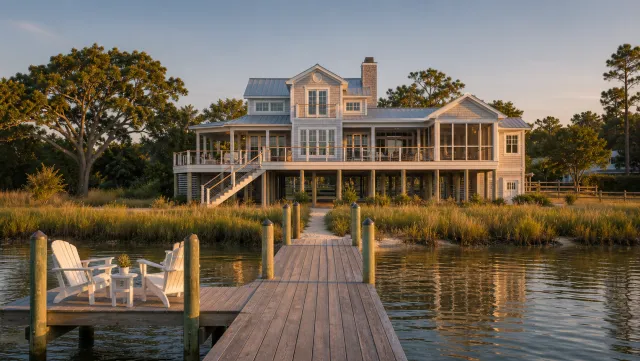
5 listing photos
1 finished video
Make a listing video from photos
Upload your photos and get a finished video back in about two minutes.
| Idea | Recommended format | Primary platform |
|---|---|---|
| Full property tour | 16:9 and 9:16 | Listing page and YouTube |
| Just-listed teaser | 9:16 | Reels and TikTok |
| Standout-feature spotlight | 9:16 | Reels |
| Price improvement announcement | 9:16 | Reels and email |
| Sold or under-contract update | 1:1 | Instagram and Facebook feed |
| Agent intro video | 9:16 or 16:9 | Pinned social profile |
| Team spotlight series | 9:16 | Reels |
| A day in the life | 9:16 | TikTok and Reels |
| Monthly market update | 9:16 | Reels and Shorts |
| Client thank-you at closing | 9:16 | Reels |
| Neighborhood walkthrough | 9:16 | Reels and TikTok |
| Local business feature | 9:16 | |
| School district overview | 16:9 | YouTube and listing page |
| Commute time test | 9:16 | Reels and TikTok |
| Buyer FAQ | 9:16 | Reels and Shorts |
| Seller prep checklist | 9:16 | Reels |
| How offers work in your market | 16:9 | YouTube |
| Things inspectors commonly flag | 9:16 | Reels |
| Closing cost breakdown | 16:9 | YouTube and email |
| On-site client testimonial | 9:16 | Reels |
| Before-and-after staging reveal | 9:16 | Reels and TikTok |
| Sold story | 1:1 or 9:16 | Facebook and Instagram |
| Milestone post | 1:1 | Instagram feed |
| Spring market outlook | 9:16 | Reels |
| Summer open house recap | 9:16 | Stories and Reels |
| Back-to-school neighborhood feature | 9:16 | Reels |
| Year-end market recap | 16:9 | YouTube and email |
Real estate video marketing mistakes to avoid
The five most common real estate video marketing mistakes are filming in the wrong orientation, missing captions, clips longer than three seconds, no contact information at the end, and inconsistent branding across posts. Each one is a single-pass fix once you know what to look for.
The most common is orientation. Recording horizontally on a phone and publishing to Reels or TikTok produces a small rectangle flanked by black bars. Film vertical (9:16) when the primary destination is a social platform.
Missing captions is the second most common gap. Most social video plays without sound, so any listing detail or key fact that exists only in the audio track misses the majority of viewers. Add captions and on-screen text overlays as a standard step in every export.
Clips that run longer than three seconds each slow the pace of a property tour and cause viewers to exit before the standout feature appears. Edit to the beat of the music track and trim every clip to two or three seconds.
No contact information at the end means a viewer who watches your listing tour to the finish has no immediate path to reach you. End every video with your name, your phone number or website, and a clear next step such as “schedule a showing” or “see the full listing in bio.”
Inconsistent branding across a profile makes each post look like it came from a different agent. Pick one font, one text color, and one music style, and apply them to every video so your grid reads as a single recognizable brand.
For a step-by-step walkthrough of producing a listing video that avoids these gaps, the how to make a real estate video guide covers filming, editing, and export in sequence.
How to plan and repurpose your real estate video ideas
Grouping similar video types in one session and repurposing each video into three formats are the two practices that multiply output from any single idea. Plan one quarter at a time using the 27-idea list as a content calendar.
Group similar video types in a single session to multiply output. Film all four neighborhood walkthrough ideas in one afternoon and schedule them across four weeks. One two-hour session of filming produces a month of neighborhood content.
Repurpose every video into at least three formats before publishing. The same footage becomes a 15-second teaser for stories, a 60-second cut for the main feed, and a 90-second version for YouTube. Three posts from one shoot is the minimum return on any filming session.
Track saves and shares rather than measuring only likes. Saves signal that a viewer found the content genuinely useful, and saves drive the algorithm to surface that content to new audiences. Market update and education videos tend to accumulate saves, while listing tours accumulate views.
Use the 27-idea list as a quarterly planning tool. At the start of each quarter, assign two or three ideas from each category to specific dates in your content calendar. A planned shoot happens; an unplanned one usually does not.
For how each format fits the wider distribution plan, see the real estate marketing video guide and the real estate video hub.
A weekly posting cadence for real estate video content
Two to three real estate video posts per week on Instagram and TikTok is the cadence most agents maintain without a dedicated video team. At that rate, the 27-idea list covers about nine weeks of content.
A simple three-post weekly pattern: one listing or social-proof video on Tuesday, one education or branding video on Thursday, and one neighborhood or seasonal video on Saturday. Tuesday posts reach buyers planning their weekend showings. Thursday posts reach the audience deciding on weekend plans. Saturday posts land during peak leisure browsing time.
Adjust the mix based on your listing volume and the season. During high-volume periods in spring and fall, shift toward listing and sold videos. During slower months, lean into education, branding, and neighborhood content, because those posts build long-term authority and keep you visible to buyers who are not yet in active search mode.
Repurpose each video across platforms in the same post session. The 9:16 cut goes to Reels, TikTok, and Shorts. The 1:1 square cut goes to the main feed and email. The 16:9 cut anchors the listing page or goes to YouTube. One video across six placements adds minimal time at export.
Frequently asked questions
Good real estate video ideas are sorted by goal: listing tours (60 to 90 seconds), just-listed teasers (15 to 20 seconds), monthly market updates, neighborhood walkthroughs, client testimonials, education FAQs, and seasonal market outlooks. Organize one or two per category each month for a complete content calendar.
Realtors should make a mix of listing videos to attract buyers, branding videos to build name recognition, neighborhood videos to capture area-search traffic, education videos to build trust with first-time buyers, and social-proof videos to earn referrals. A consistent weekly cadence of two or three posts covers all five goals over the course of a month.
For real estate Reels, post vertical 9:16 clips in a weekly rotation: a listing teaser or property tour, a neighborhood walkthrough or local business feature, and a market update or client testimonial. Keep each clip under 60 seconds, add captions for muted viewers, and include the address or neighborhood name as on-screen text.