
Multi-family and duplex listings draw two audiences at once: tenants comparing floor plans and investors evaluating gross monthly income. A well-built video addresses both by touring each unit type, overlaying current rents, and closing on the shared spaces that affect long-term occupancy. The ideas and copy-paste captions below are organized by goal so you can pick the right clip for each listing and publish without starting from a blank field.
For the full real estate video strategy that connects these ideas to a weekly posting schedule, the hub covers the complete program across every property type.
Best video ideas for multi-family and duplex listings
The strongest multi-family videos show the unit mix, overlay the gross monthly rent, and walk through one floor plan per unit type. A duplex covers both sides in 90 seconds; a four-plex needs one scene per distinct floor plan.
These ideas are ranked by versatility, starting with formats that work across every multi-family or duplex listing regardless of price point. Pick one idea per listing to start, then run the full list across your next five listings to build a consistent video routine.
1. Unit-by-unit tour
Walk each floor plan in order, starting with the smallest unit and finishing with the largest. For each unit, show the kitchen, the main bedroom, and one detail shot. Investors assess the physical condition; tenants compare layouts.
Keep each unit segment to 60 to 90 seconds. Splice a title card between units (for example: “Unit 1A, 2 bed, $1,800/mo”) so the viewer always knows where they are in the building.
2. Income overlay walk-through
Film the exterior, then cut to an on-screen overlay showing the unit count, current monthly rent per unit, and gross monthly income. Label rent figures as current, market, or projected so the overlay is accurate for the viewer. No narration required. Investors watching on mute see the numbers in the first three seconds.
This format travels well in investor Facebook groups and LinkedIn feeds because the value is visible from the thumbnail. Pin the total gross income as a text overlay in the first frame so the platform captures it in the first-frame preview. Serious investor leads will follow up for rent roll, operating expenses, and NOI; the video starts the conversation.
3. Duplex side-by-side comparison
Shoot side A, then side B in a sequential edit and label each with its square footage, bedroom count, and current rent. The format answers the most common duplex buyer question before they ask it.
Finish on the combined gross income and the total square footage, both labeled as current or projected. That closing frame gives an investor a quick sense of scale before they decide whether to book a tour.
4. Amenity and common-area reel
Capture shared laundry, parking, mailboxes, storage, and any outdoor area in a 20-second loop. A focused common-area reel reduces repetitive tenant questions and signals to investors that the property is well-maintained. Narrate each area’s key detail as on-screen text: machine capacity, parking space count, storage size.
5. Neighborhood overview for tenant prospects
Walk one block in each direction from the building and film the sidewalks, transit stops, nearby shops, and any green space. Narrate the walk time to the nearest transit stop and the closest grocery store. Tenant prospects want to picture their daily routine before scheduling a tour.
6. Drone overview for investor prospects
A 15-second drone clip showing the lot, the parking layout, and the proximity to a main road gives investors the site context they need before scheduling a tour. Include the building footprint and a parking space count as on-screen text overlays.
Pair the drone clip with the income overlay video and combine them into a 30-second investor-specific cut. That single clip covers both the physical asset and the financial case in one shareable format.
7. Just-listed 15-second teaser
Exterior push-in, two interior highlights, a gross income overlay, then your contact info. Fifteen seconds works well for short-form placements like Reels, TikTok, and Shorts without re-editing.
8. Renovation before/after
If you recently updated kitchens, bathrooms, or mechanical systems, a before/after comparison sells the value-add story to investors better than any description paragraph. Film the updated unit, then match the angles with older listing photos for the comparison edit.
9. Tenant testimonial (where permitted)
A 30-second clip of a current tenant describing what they appreciate about the building adds social proof that no walkthrough can replicate. Get written permission, keep it to one or two tenants, and add captions so the clip reads on mute.
10. Creative-terms explainer
For listings with seller financing or other structured terms, a short explainer clip describing the deal helps the video stand out in investor search results. Overlay the key numbers on screen and close with your contact information.
| Idea | Best format | Primary note |
|---|---|---|
| Unit-by-unit tour | 16:9 or 9:16 | Walk each distinct floor plan and label each unit segment. |
| Income overlay walk-through | 9:16 or 1:1 | Show unit count, monthly rent, and gross monthly income in the first frame. |
| Duplex side-by-side comparison | 16:9 | Label side A and side B with square footage, bedroom count, and rent. |
| Amenity and common-area reel | 9:16 | Capture shared laundry, parking, mailboxes, storage, and outdoor space. |
| Neighborhood overview | 9:16 | Film transit stops, shops, sidewalks, and green space for tenant prospects. |
| Drone overview | 16:9 | Show the lot, parking layout, and proximity to a main road. |
| Just-listed teaser | 9:16 | Use exterior push-in, two interior highlights, and a gross income overlay. |
| Renovation before/after | 1:1 or 9:16 | Match updated unit footage with older listing photos when available. |
| Tenant testimonial | 9:16 | Use only with written permission and keep it to one or two tenants. |
| Creative-terms explainer | 1:1 | Overlay the key financing or deal terms and close with contact information. |
For guidance on where each idea performs best by platform, see the real estate video marketing guide. To see finished output across property types, browse real estate video examples.
Multi-family and duplex shot list: every scene to capture on filming day
A complete shot list covers the exterior, one pass through each distinct floor plan, all shared spaces, the utility panel, and any outdoor area. For a duplex, film both sides; for a four-plex, film one representative unit per floor plan.
Use this list at the property. Film each scene twice (a safe take and a better take) and capture transitions between areas while you are on site, since reshooting transitions costs another visit.
Exterior and common areas:
Per unit (film each distinct floor plan at least once):
Investor-specific shots:
| Exterior and common areas | Per unit | Investor-specific shots |
|---|---|---|
| Full building exterior, straight on and from each corner | Entry door and hallway | Utility meter panel showing individual meters |
| Building entrance and mailboxes | Living and dining area, wide shot then one detail | Mechanical room or HVAC units with a visible service date if recently serviced |
| Shared laundry room with machine capacity readable | Kitchen: counters, appliances, and storage | Roof access or evidence of recent capital improvements |
| Parking area, full view with space count visible | Primary bedroom with closet visible | |
| Trash and recycling area | Secondary bedrooms | |
| Any shared outdoor space: patio, yard, or roof deck | Bathrooms: fixtures and tile | |
| In-unit laundry hookup or washer/dryer if included | ||
| Any private patio, balcony, or outdoor space |
If you only film one unit in a multi-unit building, pick the most recently updated floor plan. Filming the strongest unit first gives you a usable video even if the shoot runs short.
For tips on smooth movement through tight hallways and stairwells, the real estate walkthrough video guide covers stabilization and multi-room pacing for properties with many individual spaces.
The fastest way to produce a multi-family listing video from photos
Upload 12 to 20 listing photos to PropFade, confirm the unit count and gross rent, and the platform animates each photo, adds a voiceover, and exports 9:16, 1:1, and 16:9 formats in about two minutes.
Multi-family listings generate more photos than a typical single-family home: exterior shots, each unit type, shared spaces, and investor-specific scenes. PropFade processes the full photo set in a single project, so you finish a polished video before the first showing.
The workflow runs in five steps: upload 12 to 20 photos, enter the unit count and gross rent, confirm two or three key features, review the draft, and export. PropFade assigns motion to each photo, drafts a voiceover from those property facts, and adds captions.
The 9:16 cut goes to Reels and TikTok, the 1:1 square goes to the feed and email, and the 16:9 goes to the MLS listing page and your YouTube channel. One photo set covers three distribution channels without a second editing pass.
An AI real estate video editor saves the most time on multi-family listings because the scene count is higher than a single-family tour, and exporting three formats manually multiplies the editing time by three.
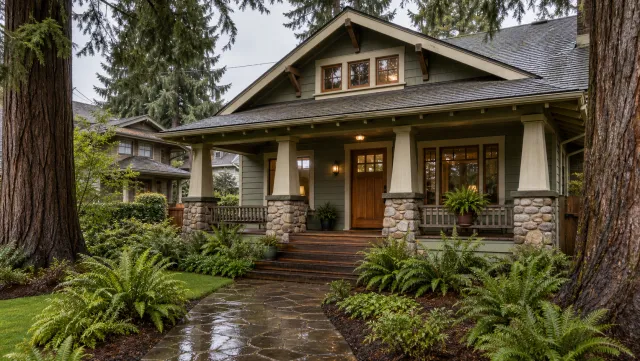
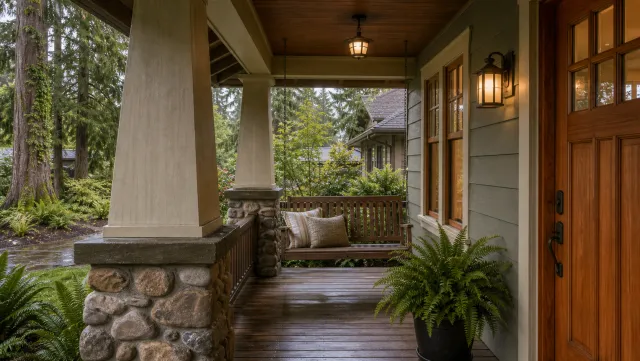
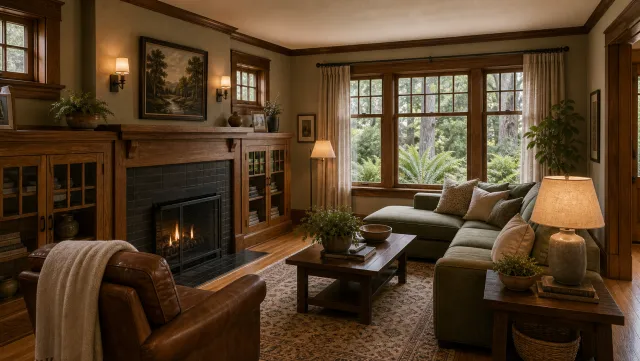
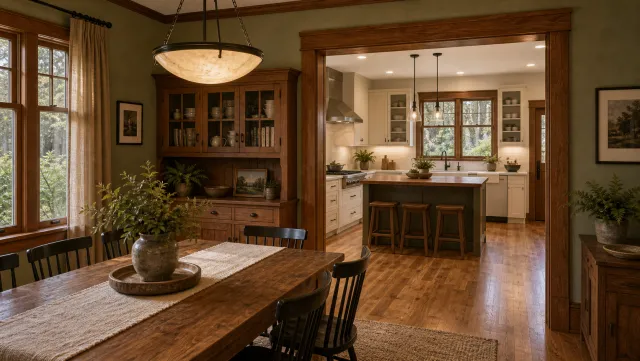
5 listing photos
1 finished video
Browse real estate video examples to see finished PropFade output across property types. The how to make a real estate video guide covers the filming-and-editing path if you prefer to shoot your own footage first.
Make a multi-family and duplex listing video
Upload your photos and get a finished video back in about two minutes.
Copy-paste captions and hooks for multi-family and duplex listings
Open each caption with the unit count and gross monthly rent, then guide the viewer to the next step. These hooks are formatted for Reels and TikTok character limits and work in the MLS video description field.
Copy any caption and replace the brackets with your property details. All are under 150 characters and formatted to read without a voiceover, since most social video plays on mute.
Just-listed hooks:
- “[X]-unit [city] duplex. $[rent]/mo gross. Tours open now. DM or link in bio.”
- “Just listed: [X] units in [neighborhood]. Fully occupied. $[price] asking.”
- “[Beds] across 2 units. $[rent] gross/mo. [Sq ft] total. Details at the link.”
Income overlay captions (investor audience):
- “[X] units. $[rent]/mo gross income. [Year built]. Separately metered. Schedule a tour.”
- “Duplex in [city]: Unit A at $[rent], Unit B at $[rent]. $[total] gross/mo. Link for details.”
- “Income property: [X] units generating $[total]/mo in [neighborhood]. Book a walkthrough.”
Tenant-focused captions:
- “[Beds]-bed unit at [address]. In-unit laundry, [feature], [feature]. Apply at link in bio.”
- “Quiet [neighborhood] [duplex/building]. Updated kitchen, [feature]. Available [date]. DM to tour.”
- “Looking for a [city] rental? [X] units, [amenity], [parking]. Applications open.”
Opening text overlays for Reels and TikTok (on screen for first 3 seconds):
- “Would you buy this duplex for $[price]?”
- “[X]-unit [city] building. Here’s what the numbers look like.”
- “Multi-family walk-through in [city].”
- “Duplex tour: both units, side by side.”
For a complete caption library organized by platform, the real estate video marketing guide covers Reels, TikTok, LinkedIn, and the MLS video field. Real estate video templates give you a pre-built edit structure so each new listing takes less time, and the real estate video for social media guide maps out a weekly posting cadence.
Multi-family and duplex listing video FAQ
A unit-by-unit tour with rent overlays serves both tenant and investor audiences. Shoot one unit per distinct floor plan, export three formats (9:16, 1:1, 16:9), and keep each segment under 90 seconds.
Frequently asked questions
Make a unit-by-unit tour that shows each floor plan, overlays the current rent per unit, and closes on the shared spaces. A 90-second segment per unit type covers both tenant and investor audiences in one video.
Post the income-overlay version to investor groups on Facebook and LinkedIn, publish the tenant-focused tour to local Reels and TikTok, and embed the 16:9 format on the MLS listing page and your website. Three cuts from one shoot covers all three channels.
A vertical 9:16 cut works best for social distribution, a 1:1 square cut fits the feed and email, and a horizontal 16:9 cut anchors the MLS listing page and YouTube. PropFade renders all three from one photo set in about two minutes.
Aim for 60 to 90 seconds per unit type and a maximum of three minutes for the full walk-through. Investor-focused clips with the income overlay can be as short as 30 seconds and still perform well on social platforms.
Film one unit per distinct floor plan, not every unit. If a four-plex has two two-bedroom units with the same layout, film the better-condition unit once and note the match in your caption or listing description.