
Tiny home buyers have specific questions about layout efficiency, built-in storage, and daily livability that listing photos rarely answer on their own. A short video tied to any of the ideas below addresses those questions before the first inquiry and brings more qualified leads to your showing.
For the strategy behind listing video, see the real estate video marketing guide and the real estate video hub.
10 video ideas for tiny home listings
The best tiny home listing videos show smart use of space, storage capacity, outdoor living area, and price-point value. These ten ideas match the specific questions tiny home buyers search for before they book a showing.
1. The layout reveal
Walk the full floor plan in one continuous shot from the front door to the back wall, no cuts. Tiny homes typically run 100 to 400 square feet, so a slow, steady pass captures the entire footprint in 10 to 15 seconds. Buyers see the flow immediately, which filters out unqualified inquiries before they call.
2. The loft bedroom tour
Climb the stairs or ladder and film the sleeping loft from its entry point. A slow horizontal pan shows the usable floor area, and a tilt toward the ceiling gives buyers a realistic read on headroom. Overlay the square footage and ceiling height as on-screen text so buyers have the numbers while they watch.
3. The built-in storage showcase
Open every cabinet, pull out the stair-step drawers, and move through each built-in shelf in sequence. A 15 to 20 second clip that covers the full storage inventory addresses the most common objection buyers raise before touring a tiny home. Buyers see a place for everything before they step inside.
4. The multi-use furniture demo
Show the murphy bed fold down, the wall-mounted dining table extend, the sofa convert, or the fold-down desk drop open. Functional transformation footage is among the most-shared content in property video. Film each transition in real time and let the motion demonstrate the engineering.
5. The outdoor living reveal
For most tiny homes, the deck, yard, or surrounding land is the second living space. Open on the exterior, walk the full perimeter, and linger on features such as a fire pit, a garden bed, a covered porch, or a long-distance view. End on verified lot features, marked boundaries, or documented parcel context to show what the listing includes.
6. The off-grid or community features video
Buyers searching for tiny homes often want energy independence or community living alongside the property. A 20 to 30 second clip covering solar panels, a rainwater collection system, or the entrance road to a tiny home community expands the qualified buyer pool to remote workers and sustainability-focused buyers.
Show the solar panels, battery bank, inverter, and any documented system specs on screen. A solar array size alone does not confirm what the system reliably handles; battery capacity, inverter rating, climate, and daily sun hours all affect real-world output. If the seller has system documentation confirming which loads the setup covers, put those verified figures on screen. That confirmed spec separates a casual viewer from a buyer ready to schedule a tour.
7. The price story video
State the asking price and the square footage on screen in the first two seconds. For a tiny home priced well below the local median, the total cost and price per square foot are the primary hook. A quick exterior shot paired with a price overlay works as paid-ad creative and an organic Reel at once.
8. The mobility reveal (for THOWs)
If the property is a tiny home on wheels (THOW), show it hitched to a truck, display the trailer certification clearly on screen, and show it parked at a destination site with a 50-amp hookup connected. Buyers considering moveable homes have different requirements than buyers of fixed-foundation properties. A 20-second mobility clip qualifies the lead before any correspondence.
9. The day-in-the-life walkthrough
Walk through a simulated morning routine: wake in the loft, coffee at the compact kitchen, work at the fold-down desk, step onto the deck. This format answers the “can I actually live here?” question that floor-plan images cannot. Keep the clip under 45 seconds for full social distribution on Reels, TikTok, and Shorts.
10. The neighborhood and land context video
Show what surrounds the property: a trail within walking distance, a lake view, a town center a short drive away, or an adjacent community. Tiny homes often sit on distinctive parcels, and the surroundings carry as much weight as the interior for buyers already drawn to this property type.
Tiny home video ideas
- **Layout reveal:** Walk the full floor plan in one continuous shot from the front door to the back wall.
- **Loft bedroom tour:** Pan the sleeping loft and tilt toward the ceiling for a realistic read on headroom.
- **Built-in storage showcase:** Open every cabinet, stair-step drawer, and built-in shelf in sequence.
- **Multi-use furniture demo:** Show the murphy bed, wall table, sofa, or fold-down desk in motion.
- **Outdoor living reveal:** Film the deck, yard, fire pit, garden bed, covered porch, view, or parcel context.
- **Off-grid or community features:** Show solar, water, utility, or community details with verified specs where available.
- **Price story video:** Put asking price and square footage on screen in the first two seconds.
- **Mobility reveal:** For tiny homes on wheels, show certification, hookup, and relocation context.
- **Day-in-the-life walkthrough:** Simulate a morning routine through the loft, kitchen, desk, and deck.
- **Neighborhood and land context:** Show trails, lake view, town center, or adjacent community.
Tiny home shot list: what to capture on location
Capture eight key shots to cover any tiny home listing video: exterior approach, entry reveal, full-interior pan, loft, kitchen, outdoor space, storage close-up, and the standout feature. Those eight clips edit into a 30 to 60 second listing video with room to cut for shorter social formats.
Film in 4K at 30 frames per second, vertical 9:16 orientation, with exposure and focus locked for each room. For phone setup and movement technique, the real estate walkthrough video guide covers the full process.
Copy-paste shot list for a tiny home listing video:
Tiny home shot list
- Exterior approach, slow push toward the front door to establish scale and curb presence.
- Entry reveal, step inside and pause to let the full interior open up on screen.
- Full interior pan, one slow continuous shot from front to back wall.
- Loft, climb the stairs and pan across the sleeping area, then tilt to show ceiling height.
- Kitchen, pan across the counter, sink, stove, and compact appliances.
- Built-in storage, open each cabinet and pull out every drawer in sequence.
- Outdoor space, walk the full deck or yard and end on documented lot features or marked parcel boundaries.
- Standout feature, the single element that closes the sale, such as view, solar array, fireplace, or outdoor kitchen.
Film each shot twice: one safe take and one attempt at a slower or tighter angle. The extra ten minutes on location saves a reshoot trip.
Tiny home interiors benefit from shooting from the lowest corner of the main floor rather than the center of the room. A 12 to 16 mm equivalent focal length prevents footage from reading as compressed in rooms under 200 square feet; use this range only when straight lines stay natural in the frame, and pair the wide shot with a dimensions overlay or a slower normal-lens pass to avoid overstating usable space. The diagonal line from corner to corner shows more floor area than a straight-on wall shot and communicates the actual scale of the space.
For pacing, color, and caption workflow after you wrap, the real estate video editing guide covers the full post-production pass for phone footage.
The fastest way to make a tiny home listing video
Upload 12 to 20 listing photos to PropFade, confirm the address and property details, and export. The platform animates each photo with motion, generates a voiceover from the listing facts, adds captions, and renders three formats in about two minutes.
You get a vertical 9:16 cut for Reels and TikTok, a square 1:1 cut for the main feed, and a landscape 16:9 cut for your listing page, all from one photo set. For agents with a full showing schedule or several listings to process in sequence, the photo-to-video path skips the filming step entirely.
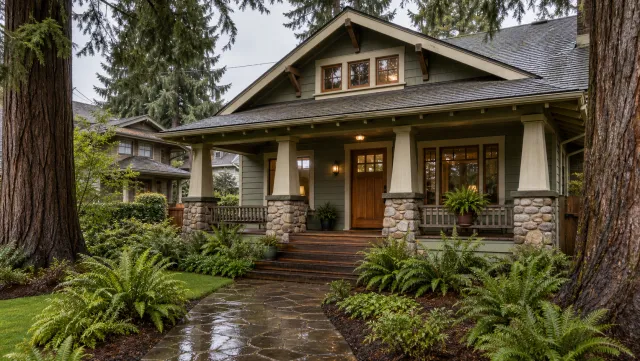
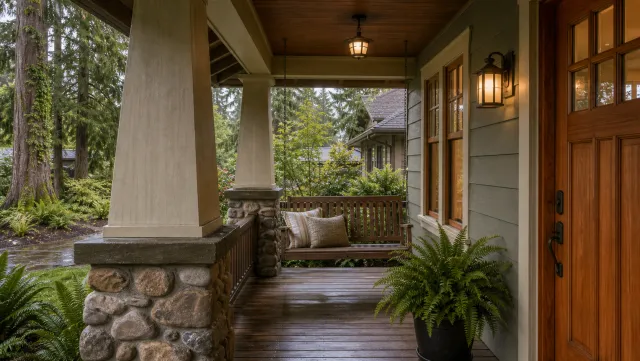
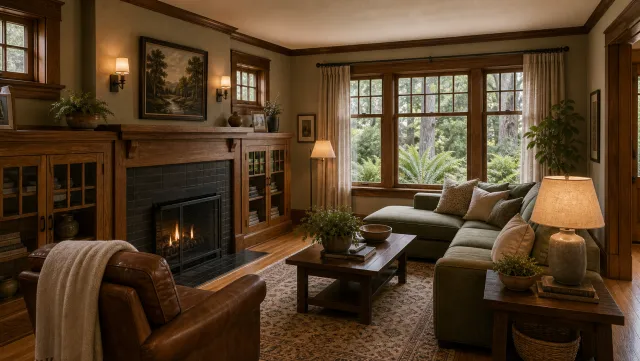
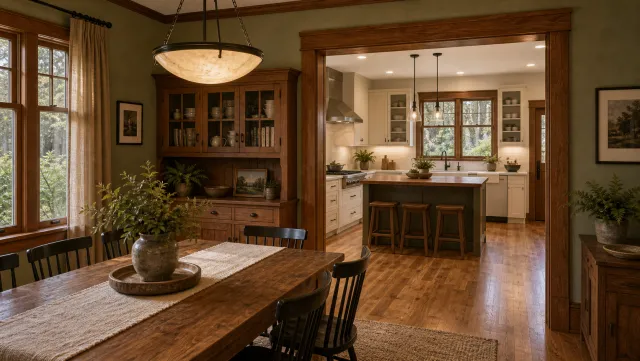
5 listing photos
1 finished video
For examples of finished output across property types, the real estate video examples page shows what the auto-generated formats look like in use.
Make a tiny home listing video
Upload your photos and get a finished video back in about two minutes.
The same workflow runs through an ai real estate video editor or a real estate video maker to export all three formats, giving agents with a full photo set a finished multi-format video without the half-day on site. For ideas that depend on functional movement, such as furniture transforms, cabinet sequences, or THOW mobility, short phone clips shot on location add the verification footage that listing photos cannot provide.
Copy-paste captions and hooks for tiny home listings
Tiny home captions perform best when the first line leads with a number, a lifestyle benefit, or the standout feature. These twelve options are ready to drop into any Reel, TikTok, or Instagram post. Replace the bracketed fields with your listing details.
For social Reels and TikTok:
- “[Square footage] sq ft. Every inch earns its place. [Price]. Schedule a tour in bio.”
- “Built-in storage. Fold-down desk. Murphy bed. This [square footage] sq ft home has a spot for everything. [Price].”
- “Sleeps 2, seats 4, priced at [price]. Full tour at the link in bio.”
- “The outdoor space is [lot size]. The interior is [square footage] sq ft. Both are yours. [Price].”
- “Off-grid ready: [solar specs], [water system], [utility setup]. [Price]. Drop a question below.”
- “THOW on the market: [title/certification status], [hookup type], [relocation notes]. [Price]. DM for details.”
For listing feed posts and property pages:
- “A full life in [square footage] sq ft. Kitchen, loft, storage, deck. [Address]. Link to full listing in bio.”
- “Tiny home. Big location. [Neighborhood], [distance] to [landmark]. [Price].”
- “What [price] gets you in [city] right now: [square footage] sq ft, built [year], [sleeping spaces] sleeping areas.”
- “Morning here: loft, coffee, fold-down desk, deck. [Address] at [price]. Book a showing at the link.”
Short hooks for on-screen text overlays:
- “[Square footage] sq ft. Priced at [price].”
- “Every inch has a purpose.”
For a full posting cadence built around these clips, see the real estate videos for social media guide.
Tiny home listing video: common questions answered
The three questions below cover which video to record first for a tiny home listing, how to distribute clips across social platforms, and which format works best on each channel. Each answer is direct and gives a specific starting point.
Frequently asked questions
Start with a layout reveal: one continuous walk from the front door to the back wall with no cuts. Add a built-in storage showcase and an outdoor living clip. Those three videos cover the top questions tiny home buyers bring to a showing and run under two minutes of total footage.
Post a vertical 9:16 clip to Reels and TikTok with the price, square footage, and standout feature on screen in the first two seconds. Repurpose the same footage as a square 1:1 cut for the feed and a landscape 16:9 cut for your listing page. One filming session covers three platforms and a full week of posts.
Vertical 9:16 performs best for discovery on Reels and TikTok, where most first searches for this property type start. Keep social clips between 15 and 45 seconds, and keep a landscape 16:9 version for your listing page and YouTube. An ai real estate video editor or PropFade exports all three from a single project.