
The best listing videos for 55+ and retirement communities lead with the lifestyle, because buyers in this category evaluate the community as much as the individual home. They want to see the clubhouse, the walking trails, and the daily rhythm of living there before they focus on square footage.
This guide gives you eight ready-to-use video ideas, a room-by-room shot list, copy-paste caption hooks, and the fastest path to a finished video from listing photos. For the full range of listing video formats, the real estate video hub covers the complete program.
Best video ideas for 55+ and retirement communities
Eight video types work best for 55+ and retirement community listings: amenity tour, lifestyle reel, accessibility walkthrough, home interior tour, community calendar clip, location clip, agent introduction, and just-listed teaser. Each targets a different moment in the buyer’s research.
1. Amenity tour (60 to 90 seconds)
An amenity tour is the anchor video for any 55+ or retirement community listing. Walk the camera through the clubhouse main room, the pool deck, the fitness center, and specialty spaces: the pickleball court, the woodshop, the art studio. Show each space in use or staffed, not empty. A 60 to 90 second cut gives buyers enough context to picture daily life there. Browse how other agents structure these on the real estate video examples page.
2. Lifestyle day-in-the-life reel (30 to 45 seconds)
A lifestyle reel shows the community rhythm from morning coffee in the common area through an afternoon activity. This format answers the question buyers carry through their search: “Does this community fit how I want to live?” Publish the vertical 9:16 cut to Instagram Reels and TikTok as an organic post before any paid promotion.
3. Accessibility walkthrough (45 to 60 seconds)
Many 55+ buyers search specifically for accessibility features. Film the details that matter most where they are present: zero-step or low-step entry, wider doorways (a 36-inch door provides roughly 34 inches of clear opening, meeting the 32-inch ADA minimum), grab bars in the primary bathroom, a roll-in or zero-threshold shower, and a single-level floor plan. A deliberate walkthrough of these features pre-qualifies showings and removes hesitation from buyers who need to verify accessibility before committing to a visit.
4. Home interior tour with lifestyle framing
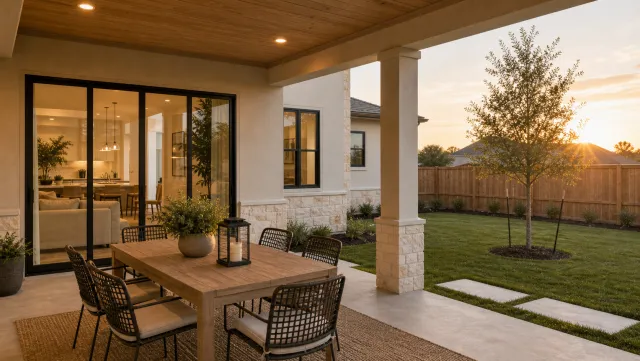
Reframe a standard room-by-room walkthrough around how each space lives for a 55+ buyer. Label the den as a reading room, the bonus space as a craft or hobby room, and the screened patio as the outdoor dining room. Caption each space with its lifestyle role rather than its square footage. This approach connects with buyers comparing multiple communities who are looking for the home that fits their specific routine.
5. Community calendar highlight clip (15 to 20 seconds)
A short clip tied to an upcoming community event, a lecture series, a holiday party, or a weekly yoga class adds social proof without a formal testimonial. Post it the week of the event and it functions as both a listing post and a demonstration that the community is active and well-managed.
6. Location and walkability clip (20 to 30 seconds)
Show what sits within a short drive. The nearest hospital or medical center, the pharmacy, the grocery store, and the casual restaurant are deciding factors for 55+ buyers that do not appear on a floor plan. A 20 to 30 second clip set to upbeat music communicates the location story in a format buyers share with family members helping in their search.
7. Agent introduction tailored to the community (30 to 45 seconds)
An agent intro that names specific community features builds immediate trust with 55+ buyers. Mention how many homes you have sold in the community, reference one or two details that distinguish it (the gated entry, the garden plots, the on-site dining), and close with a clear invitation to reach out. Keep it to 45 seconds and pin it to the top of your social profile.
8. Just-listed teaser (15 seconds)
A 15-second teaser covers the exterior approach, one interior space, and three key stats: price, bedroom count, and community name. This format runs as a paid Reels or TikTok ad, drives quick taps to the listing page, and reuses footage already captured for the full tour.
55+ community video ideas
- **Amenity tour:** Walk through the clubhouse, pool deck, fitness center, and specialty spaces in 60 to 90 seconds.
- **Lifestyle day-in-the-life reel:** Show the community rhythm from morning coffee through an afternoon activity.
- **Accessibility walkthrough:** Film zero-step entries, wider doorways, grab bars, shower type, and single-level layout where present.
- **Home interior tour:** Frame each room around how it lives for a 55+ buyer.
- **Community calendar clip:** Tie a 15-to-20-second clip to an upcoming event or weekly class.
- **Location and walkability clip:** Show the nearest medical center, pharmacy, grocery store, and casual restaurant.
- **Agent introduction:** Name specific community features and close with a clear invitation to reach out.
- **Just-listed teaser:** Cover the exterior approach, one interior space, price, bedroom count, and community name.
55+ and retirement community listing shot list
A complete shot list covers the home interior, the shared amenities, and the community context that separate a 55+ listing from a standard residential property. Plan two filming sessions: one inside the home and one for the community spaces.
Home interior:
Shared amenities:
Community context:
55+ community shot list
- **Home interior:** Zero-step or low-step front entry, filmed as a slow reveal
- **Home interior:** Wider doorway reveals: front door, primary suite entrance, primary bath entry
- **Home interior:** Open kitchen with accessible counter height, pull-out shelving, or lower cabinet options if present
- **Home interior:** Main living and dining area, wide angle followed by one lifestyle detail
- **Home interior:** Primary bathroom featuring the shower type, grab bars, and mobility-friendly upgrades
- **Home interior:** Bonus room staged as a reading nook, craft table, or home gym
- **Home interior:** Laundry room on the main level
- **Home interior:** Screened patio, balcony, or private outdoor space in the best available light
- **Shared amenities:** Clubhouse entry and main gathering or great room
- **Shared amenities:** Pool and hot tub or spa deck during daylight hours
- **Shared amenities:** Fitness center, aerobics studio, or yoga room
- **Shared amenities:** Pickleball, tennis, bocce, or shuffleboard courts
- **Shared amenities:** Walking trails or maintained sidewalks within the community footprint
- **Shared amenities:** Garden plots, greenhouse, or outdoor hobby spaces if offered
- **Shared amenities:** On-site dining room, bistro, or cafe
- **Shared amenities:** Golf cart storage, covered parking, and garage options
- **Shared amenities:** Gated entry or staffed security station
- **Community context:** Wide or aerial shot establishing the overall community footprint
- **Community context:** Late-afternoon streetscape with active walking paths in frame
- **Community context:** Community activity board or events calendar on display
- **Community context:** Nearby medical center, pharmacy, or grocery within one mile
For smooth movement through each room, apply the filming techniques from the real estate walkthrough video guide: heel-to-toe walking, two hands on the phone, and a small gimbal for long hallway or amenity shots. Shoot community spaces during staffed or active hours so buyers see the community at its normal pace, not after closing time.
Before filming shared spaces, confirm that the community association or HOA permits listing video production on the premises. Avoid capturing identifiable residents without their consent, keep all claims about the community factual and verifiable, and follow any MLS or association branding rules that apply to video content.
The how to make a real estate video guide covers phone settings, stabilization, and lighting in detail if this is your first listing video shoot.
The fastest way to make a retirement community listing video
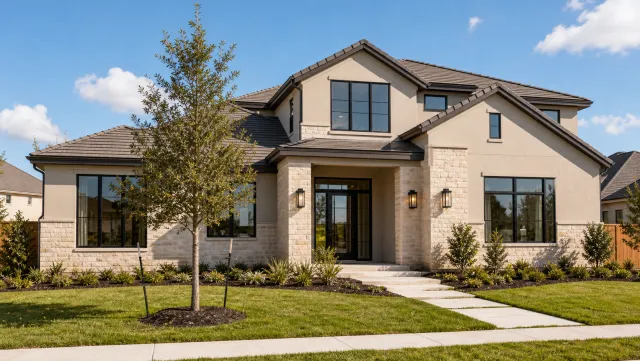
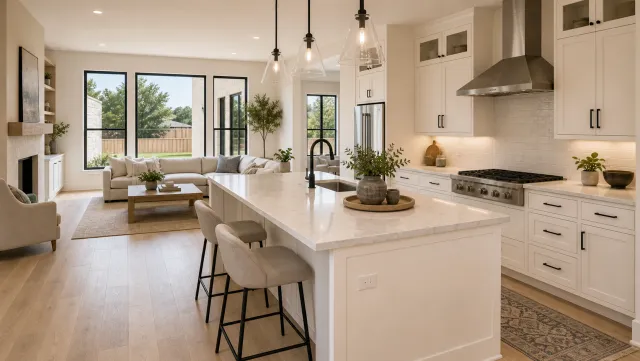
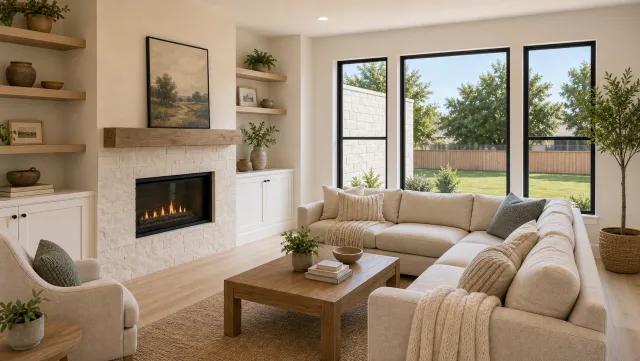
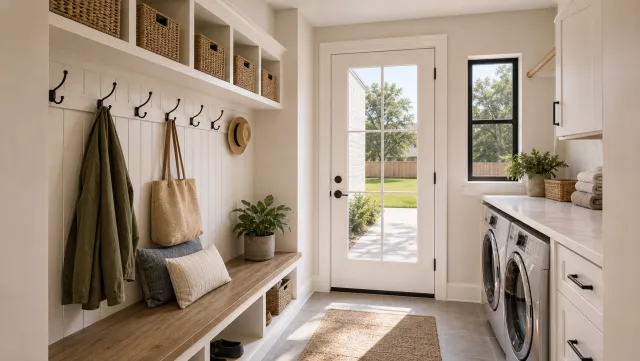
Upload 12 to 20 listing photos to PropFade and get a finished 55+ community video in about two minutes. The platform animates each photo with motion, drafts a voiceover from the listing facts, and renders three ready-to-post formats (9:16, 1:1, and 16:9).
This approach fits 55+ listings especially well because buyers in this category want information-dense content. The AI voiceover can reference the listing facts you provide, such as community name, association fees, amenity highlights, nearby medical services, and price. The ai real estate video editor handles format sizing automatically so each export is ready for its platform without manual cropping.
Include the exterior, three to five interior rooms, and three to five amenity photos in the upload set. The 9:16 vertical export goes to Instagram Reels and TikTok, the square 1:1 cut works in the feed and email, and the 16:9 landscape version embeds on the listing page and YouTube.
5 listing photos
1 finished video
For agents managing real estate video marketing across a pipeline of 55+ and age-restricted listings, this photo-to-video flow produces one polished video per listing in a single session rather than a separate filming and editing day per property.
Make a 55+ Retirement Community Listing Video
Upload your photos and get a finished video back in about two minutes.
Captions and hooks for 55+ community listings
Strong captions for 55+ community listings lead with the lifestyle promise, name a specific amenity or community feature in the first line, and close with a concrete next step. Copy any of these formats directly into your social post.
Opening hooks (use as the first line of any caption):
- “This is what retirement actually looks like.”
- “55+ community where the amenities are the whole point.”
- “Single-level floor plan. Full social calendar. No yard work.”
- “Clubhouse. Pool. Pickleball. Screened patio. Welcome home.”
- “Active living with a community that shows up.”
Full caption formats:
Just-listed announcement: “Just listed in [Community Name]. $[Price] | [Beds] beds | [Baths] baths | [Sq Ft] sq ft. Single-level floor plan, zero-step entry, and direct access to the clubhouse. Open house [Date]. Link in bio.”
Amenity spotlight: “The [Community Name] fitness center opens at 5am every day. Residents here stay active because the facility is two minutes from their front door. $[Price] | [Sq Ft] sq ft. DM for a private showing.”
Lifestyle caption: “Pickleball at 9am, lunch in the community bistro at noon, home by 2pm for the screened patio. [Community Name] | [City] | Starting at $[Price]. Tag someone who is ready.”
Agent introduction caption: “I’ve sold [Number] homes in [Community Name] and I can tell you: the waitlist is real. If you have been thinking about it, let’s talk now. Message me.”
Location story caption: “[Community Name] sits two miles from [Hospital Name], one mile from [Grocery Store], and five minutes to [Attraction]. Everything within reach. $[Price] | [Beds] beds.”
Hashtag set for 55+ community posts:
#55plusliving #retirementcommunity #activeadultcommunity #55andover #retirementliving #agerestricted #activeseniors #[cityname]realestate #ageinplace #retirementgoals
Pair these captions with real estate video templates to lock in a consistent visual style across your 55+ community posts. For a full posting cadence and platform-specific timing, the real estate videos for social media guide covers what works best for this audience.
55+ and retirement community video FAQ
These questions cover the three decisions agents face most often when marketing a 55+ or retirement community listing: which video to lead with, how to distribute it, and which format earns the most traction.
Frequently asked questions
Start with an amenity tour of 60 to 90 seconds covering the clubhouse, pool, and fitness center. Add an accessibility walkthrough showing zero-step entry, wider doorways, and the single-level layout. A 15-second just-listed teaser and a 30 to 45 second lifestyle reel complete a full content set for the listing.
Post the amenity tour to YouTube and embed it on the listing page. Publish the vertical 9:16 cut to Instagram Reels and TikTok. Use the square 1:1 cut in email campaigns and social feeds. For the MLS, use the dedicated video or virtual tour field where your local board allows it, and confirm whether an unbranded version is required. Caption each post with the community name, price, and the two or three amenities that separate it from a standard residential listing.
Film in 9:16 vertical for social platforms (Reels, TikTok, Shorts) and 16:9 landscape for YouTube and the listing page. A 60 to 90 second amenity tour is the highest-performing video type for this property category because buyers evaluate the community lifestyle before they evaluate the individual home.