
Vacation and short-term rental listings compete on experience before they compete on price. A guest scrolling Airbnb or VRBO decides in a few seconds whether to click, and a well-made video showing the pool at golden hour, the mountain view from the deck, or the beach two minutes away converts that scroll into a booking.
This guide gives you 10 specific video ideas tailored to STR properties, a 12-shot shot list, a copy-paste caption set, and a faster path from listing photos to a finished video ready for every platform.
Best video ideas for vacation and short-term rentals
The highest-performing video types for vacation and short-term rental listings are amenity showcases, lifestyle reels, neighborhood proximity reels, and sleeping capacity walk-throughs. Each targets a different question a guest asks before booking.
1. Pool and outdoor living showcase. Open on the water glistening, pan across the deck chairs, and close on the fire pit at dusk. This is the single frame most guests save to a trip planning board, and it earns strong share rates among STR video formats. Film it in both 9:16 and 16:9 ratios so you have a Reel and a listing page hero from one shoot.
2. Lifestyle reel. Show the experience, not only the property. Clips of morning coffee on the deck, kids in the pool, or a group dinner at an outdoor kitchen answer the question “can I picture my group here?” in a way that property photos cannot. Keep this cut to 20 to 30 seconds and lead with the most emotional moment.
3. Neighborhood and proximity reel. Guests pick a destination before they pick a property. Pair footage of the waterfront, ski lift, or town center with simple distance text: “3 min to the beach, 8 min to downtown.” This context is especially persuasive for destinations where guests need geographic orientation before they commit.
4. Sleeping capacity walk-through. Group travel is the largest booking segment for STR properties. A short walk-through that names every sleeping space out loud (“king primary, two queen rooms, one bunk room for the kids”) eliminates the capacity question before it becomes a pre-booking message. This video type can meaningfully reduce pre-booking guest inquiries by answering the capacity question upfront.
5. Rental income reveal (investor-facing). Produce a data-forward video for property investors and owners considering a purchase, not for guest booking. Use verified historical booking data or sourced market comps, date all figures clearly, and state the occupancy rate and seasonal assumptions behind any income range you show. Avoid language that implies guaranteed returns. Consult your broker or legal counsel before publishing income projections, as requirements vary by state and brokerage. This video performs well on Facebook and LinkedIn where real-estate investors actively research acquisition targets.
6. Seasonal highlight cut. A ski cabin in summer looks entirely different from the same property in December. A 15-second seasonal cut for each booking window keeps your listing fresh year-round and captures search intent at every travel planning season.
7. Smart home and remote-work features tour. Keyless entry, high-speed fiber described as “work-from-anywhere capable,” a dedicated desk, and smart locks are genuine decision factors for digital nomads and remote workers booking extended stays. Feature each one with a brief on-screen label.
8. Just-listed teaser. A 10-second clip with the exterior, one hero amenity, and “Now booking [dates]” text drives direct inquiries before the listing goes live on Airbnb or VRBO. Post this to your Reels and stories 48 hours ahead of the public launch date.
9. Guest experience highlight. With permission, combine short clips from previous guest stays with property footage. Real guests using the space can help convert browsers to bookers more effectively than staged shots, because it resolves the “is this property real?” skepticism that affects self-catered rentals.
10. Property host introduction. A 30-second clip where the owner or property manager greets prospective guests, shares one thing they love about the location, and mentions the house rules builds the trust that can support premium pricing. Guests often pay more to stay with a host they feel they know.
Vacation rental video ideas
- **Pool and outdoor living showcase:** Open on the water, pan across deck chairs, and close on the fire pit at dusk.
- **Lifestyle reel:** Show the guest experience, not only the property.
- **Neighborhood and proximity reel:** Pair destination footage with distance text.
- **Sleeping capacity walk-through:** Name every sleeping space out loud.
- **Rental income reveal:** Use verified data, dated assumptions, and no guaranteed-return language.
- **Seasonal highlight cut:** Produce a 15-second cut for each booking window.
- **Smart home and remote-work tour:** Feature keyless entry, internet, a dedicated desk, and smart locks.
- **Just-listed teaser:** Use exterior, one hero amenity, and Now booking text.
- **Guest experience highlight:** Combine prior guest clips with permission and property footage.
- **Property host introduction:** Have the host share one location detail and the house rules.
For the broader real estate video program and how STR video fits into a full marketing calendar, the pillar hub covers every format type.
Vacation rental shot list: what to capture
A complete vacation rental shot list covers the exterior at multiple times of day, every bookable amenity, all sleeping areas, the kitchen, and at least one scene-setting location shot outside the property. These 12 shots give you footage for every video idea above.
Exterior and arrival:
- Front of property, slow approach from the street (daytime)
- Entrance or front door, a reveal as it opens
- Dusk or golden-hour exterior (return to film this separately from the interior session)
Amenities: 4. Pool, hot tub, or water feature with water visible and glistening 5. Outdoor living area: deck furniture, fire pit, or BBQ grill 6. Any standout feature: home theater, sauna, game room, putting green
Interior: 7. Kitchen: one wide shot showing full appliances, island, and counter space for a group 8. Main living area: wide shot that shows seating capacity at a glance 9. Primary bedroom: a doorway reveal that opens into the room 10. Additional sleeping areas: bunk room, second suite, or convertible sleeping space
Location: 11. One shot from inside the property looking toward the view or surroundings 12. One nearby attraction: beach access point, ski slope, trailhead, or main street
Film each shot twice. On the second take, move slower than feels natural on site, because video always plays faster in the edit than it felt when filming.
The real estate walkthrough video guide covers the stabilization and pacing techniques that apply on every property type, including tight vacation rental interiors.
The fastest way to make a vacation rental listing video
Upload 12 to 20 property photos to PropFade, confirm the listing details, and the platform animates each photo with motion, generates a voiceover from the property facts, adds captions, and exports three formats in about 2 minutes.
This path fits the realities of STR marketing: listings spread across multiple markets, a full booking calendar with no time for a production day, and properties that need fresh video every season. You upload once and get the 9:16 cut for Instagram Reels and TikTok, the 1:1 cut for feed posts and social sharing, and the 16:9 cut for Vrbo listing pages, your direct booking site, and YouTube.
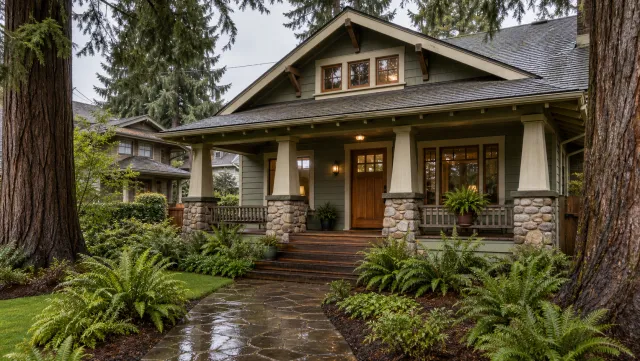
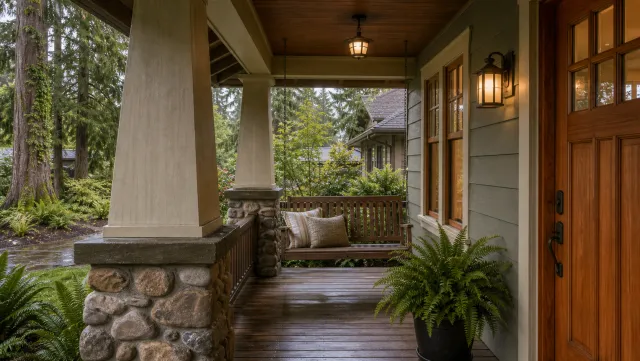
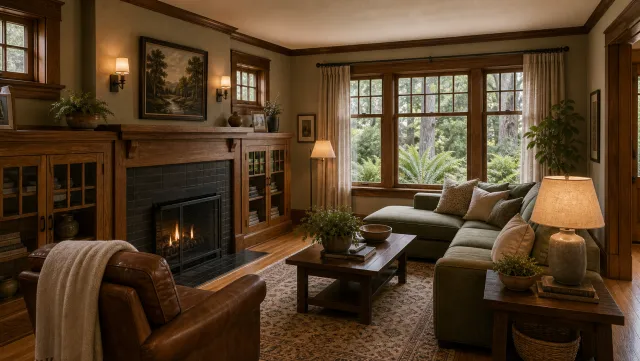
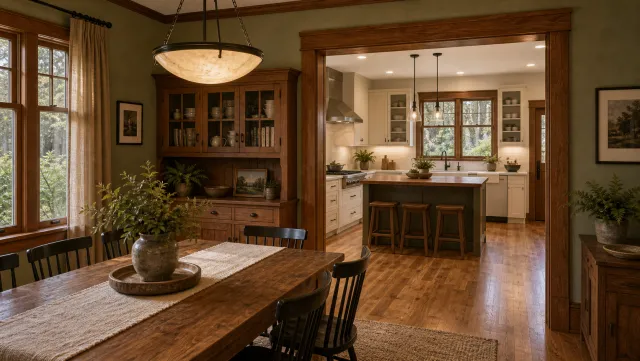
5 listing photos
1 finished video
Make a vacation rental listing video
Upload your photos and get a finished video back in about two minutes.
The ai real estate video editor handles voiceover, captions, and multi-format export automatically, so you skip the editing software and the separate recording session.
Browse finished output across property types on the real estate video examples page before running your own photos through.
Captions and hooks for vacation and short-term rental listings
Strong vacation rental video captions lead with the experience or a specific location detail, state guest capacity and one standout amenity, and close with a direct booking action. Keep the first line to 8 words or fewer, because that is all Instagram and TikTok show before the “more” cut.
Copy these captions, fill in the brackets, and post:
Instagram and TikTok Reels (9:16):
Vrbo listing video and direct booking site (16:9): Vrbo supports direct video uploads to listing pages. Airbnb does not currently allow hosts to embed video on listing pages; for Airbnb, use these captions on YouTube or social video that links back to your Airbnb listing.
Facebook and Instagram feed (1:1):
Hook openers for the first 3 seconds of any video:
Vacation rental video captions
Instagram and TikTok: Where [city] trips actually happen. Sleeps [X], pool, 5 min to [landmark].
Instagram and TikTok: Your next [weekend/week] escape. [X] beds, [amenity], [location]. Link to book in bio.
Instagram and TikTok: Group trip sorted. [Property name]: [X] guests, [Y] bedrooms, steps from [beach/mountains/downtown].
Instagram and TikTok: Vacation mode: on. [Amenity] + [location] + [X] beds. Booking link in bio.
Vrbo or direct site: [Property name]: [X] guests, [signature amenity], and [drive time] to [attraction].
Vrbo or direct site: Wake up to [view]. Sleep [X] guests. Book [month/season].
Vrbo or direct site: Everything your group needs. [X] beds. [Amenity]. [Distance] to [attraction].
Facebook or feed: Just opened [season] bookings: [property name] in [city]. [X] beds, [amenity], starting [rate] per night.
Facebook or feed: We added [new amenity] for [year]. Check availability for [peak season dates].
Hook opener: [City]'s most-requested [property type] now has open [season] dates.
Hook opener: This is where [X guests] spend [occasion].
Hook opener: [Amenity] included. [Location] included.
Each caption pairs naturally with a specific video type. The pool showcase matches the group-trip hooks. The neighborhood reel pairs with proximity copy. The host introduction video works best with the Facebook feed format, where longer-form text performs well.
How to distribute vacation rental video across platforms
Each video you make for a vacation rental property can serve four distinct channels with minor edits. Post the 9:16 Reel to Instagram and TikTok for organic discovery, embed the 16:9 tour on your direct booking site as a hero above the photo gallery, run the 1:1 clip as a boosted post targeting travelers with relevant destination interests, and email the amenity showcase to confirmed guests one week before check-in to set expectations and reduce arrival questions.
The real estate video marketing guide covers paid amplification strategy for STR video, including platform targeting parameters for travel audiences.
Repurposing one shoot across all four channels turns a 2-minute video project into a full week of content. Start with the lifestyle reel for social, use the tour for the listing page, and save the seasonal cut for email and retargeting campaigns.
For consistent branding across a portfolio of vacation rentals, real estate video templates let you set the intro, font, and outro once and apply them to every new property. Guests who see multiple listings recognize the brand immediately, which builds the host trust that drives direct bookings.
The how to make a real estate video guide covers the phone filming and editing techniques behind the shot list above. The stabilization method, the phone settings, and the 4K capture advice apply directly to vacation rental properties.
For STR portfolios with social posting at scale, real estate videos for social media covers weekly cadence, platform timing, and the caption format that performs best per channel.
Frequently asked questions
Start with an amenity showcase featuring the property's strongest visual: the pool, the outdoor living area, or the view. Pair it with a 20-second lifestyle reel showing the guest experience, and a proximity clip that places the property in relation to the nearest attraction. These three videos address the three questions guests ask before booking: what does the property have, what will it feel like to stay there, and where is it.
Post the 9:16 lifestyle reel on Instagram Reels and TikTok for organic reach, embed the 16:9 tour on your direct booking site, and run the 1:1 amenity clip as a boosted post targeting travelers interested in your destination. Email the showcase video to confirmed guests a week before check-in. Rotate seasonal cuts at the start of each booking window to keep the listing fresh for returning and new guests.
Use 9:16 vertical for social discovery on Reels, TikTok, and Shorts, 1:1 square for feed posts and Airbnb social sharing, and 16:9 landscape for your listing page, website hero, and YouTube channel. PropFade exports all three formats from one photo set in about 2 minutes, so you cover every platform from a single upload.