
Condo buyers weigh three things: the unit itself, the building’s amenities, and the surrounding neighborhood. A 60-to-90-second video that covers all three gives buyers a reason to schedule a showing before they visit in person.
Below are seven condo video ideas, a copy-paste shot list, ready-to-use caption hooks, and the fastest path to a finished listing video.
Best video ideas for condo listings
The seven strongest condo video types are: an amenity tour, a unit walkthrough, a view clip, a neighborhood walk, a lifestyle reel, a just-listed teaser, and a day-in-the-life story.
Each maps to a distinct reason condo buyers choose one building over another. Most condos support all seven.
Each idea can be executed with filmed footage or with your existing listing photos through PropFade. For a photo-based workflow, the notes below each idea explain which photos to select.
| Video idea | What it shows | Best length |
|---|---|---|
| Building amenity tour | Lobby, gym, pool, rooftop lounge, or concierge desk | 30 to 45 seconds |
| Unit walkthrough | Front door to best room: living area, kitchen, bedroom, bath, view | 45 to 60 seconds |
| Balcony or view clip | City skyline, courtyard, or balcony vista | 10 to 15 seconds |
| Neighborhood walk | Coffee shop, transit stop, park, or restaurant row from the front door | 30 seconds |
| Low-maintenance lifestyle reel | Keyless entry, in-unit laundry, storage, parcel room | 20 to 30 seconds |
| Just-listed teaser | Two or three best clips with price, floor, and bed/bath text | 15 to 20 seconds |
| Day-in-the-life story | Morning coffee, walk to café, evening city view | 60 to 90 seconds |
For the full real estate video strategy behind each idea, including platform schedules and targeting, see the pillar guide.
1. Building amenity tour
Show the lobby, gym, pool, rooftop lounge, or concierge desk in a single 30-to-45-second clip. Buyers comparing condos at the same price point often decide on amenities, and a video makes the comparison easy before any showing.
Film the lobby first as the opening shot, then move through the amenity floor in the order a resident would actually use it: gym, pool or lounge, then the rooftop or outdoor terrace. Plan for six to eight shots at four to five seconds each to fill the full 30-to-45-second runtime.
With listing photos: choose one photo of the lobby, one of the gym, one of the pool or lounge, and one of the rooftop or terrace. Arrange them in that order in PropFade and the animated sequence becomes the amenity tour.
2. Unit walkthrough
Take buyers through the unit from the front door to the best room in 45 to 60 seconds. Open at the door, move through the main living area and kitchen, show the primary bedroom, and close on the city view or the standout finish.
Keep the camera moving at a slow, steady pace. Smooth motion in a compact condo makes every room read larger on a phone screen.
With listing photos: select 6 to 8 interior photos starting at the front door and ending on the best room or the city view. PropFade applies motion to each photo and sequences them in the order you set.
3. Balcony or view clip
A 10-to-15-second clip of the city skyline, courtyard, or balcony often earns the highest engagement of any clip from a condo listing. Film at golden hour or dusk when warm light flatters the skyline.
Hold the shot still for three seconds, then do one slow pan. Add a short text overlay with the floor number or the compass direction.
4. Neighborhood walk
A 30-second neighborhood walk shows the coffee shop, transit stop, park, or restaurant row that defines the address. Condo buyers often choose a building as much for its block as for the floor plan.
Start at the front door and walk to the nearest destination that matters to your buyer profile. Keep the camera at eye level and move at a natural walking pace. Pair this clip with a real estate video marketing plan so it goes to the right platform when you post.
5. Low-maintenance lifestyle reel
A short reel about the lock-and-leave, no-yard-work lifestyle connects with urban professionals, downsizers, and second-home buyers. These buyers prioritize time, and a 20-to-30-second reel that shows keyless entry, in-unit laundry, and a parcel room answers the lifestyle question buyers carry into every showing.
Show: fob or keyless entry, in-unit laundry, private storage or deeded parking, and the parcel room or concierge desk. Keep the total under 30 seconds.
6. Just-listed teaser
A 15-to-20-second teaser cuts the two or three best clips from the unit and adds the price, floor number, and bed and bath count as on-screen text. Post it the day the listing goes live for maximum first-day reach.
Open with the exterior or the lobby, cut to the kitchen or the city view, and end on a final frame with the address and showing link. The real estate video examples page has finished teasers across property types if you want a reference before you edit.
With listing photos: pick your two or three strongest shots and use them as the teaser sequence. The exterior or lobby photo works as the opening, the kitchen or living area as the middle, and the view or the standout finish as the close.
7. Day-in-the-life story
Chain three clips: morning coffee on the balcony, a five-minute walk to a nearby café or park, and an evening city view from the window. This format works on Reels and TikTok because it shows the daily experience of living at the address.
Keep any voiceover short, one sentence per scene. The how to make a real estate video guide covers phone setup and stabilization if you want a technical primer before you film.
Condo shot list: what to film in the unit and building
A complete condo shot list covers three zones: building exterior and common areas, unit interior, and the neighborhood block. Capture two takes of each shot so you have options in the edit.
Building and common areas
- Building exterior: straight-on approach plus one angled shot
- Lobby or entry hall: wide reveal, then one detail (art, lighting, or front desk)
- Elevator or stairwell: 3-to-5-second clip that sets the building scale
- Gym or fitness center: wide shot from the door, then one equipment detail
- Pool or rooftop lounge: establishing wide shot, then one view angle
- Concierge or security desk: 3-second clip, signals service and security
- Parcel room or storage: quick clip if it is a selling point for the building
- Parking or garage: especially if deeded parking is included
Unit interior
- Front door reveal: open slowly from the hallway into the unit
- Entry and foyer: one wide shot
- Main living area: wide, then one detail (fireplace, built-in shelving, or view)
- Kitchen: pan across the counters and island or peninsula
- Primary bedroom: doorway reveal, then one close detail
- Primary bath: slow pan of the vanity and shower or soaking tub
- Second bedroom or home office: one wide shot from the doorway
- Balcony or outdoor space: hold the shot, then one slow pan
- View from the window: film from inside looking out; let the view frame the shot
- In-unit laundry or storage: quick clip if in-unit, a common deciding factor for urban buyers
Neighborhood block
- Building entrance from the street: show the address or street-level signage
- Nearest coffee shop or café: 5-second clip
- Transit stop or subway entrance: establishes the commute range
- Park or green space: 5-second wide shot
- Main street or restaurant row: one walking clip along the block
For tips on correcting the flat, cool look that overhead fluorescents leave in lobbies and gyms, the real estate video editing guide covers a quick color pass that restores warmth in common area shots.
The fastest way to make a condo listing video
The fastest path from listing photos to a finished condo video is PropFade: upload 12 to 20 photos, confirm the listing details, and export three finished formats in about two minutes.
PropFade animates each photo with motion, drafts a voiceover from the listing facts you enter, adds captions, and delivers a 9:16 vertical cut, a 1:1 square cut, and a 16:9 landscape cut from a single project. The three formats cover Reels, the feed, and the listing page from one upload.
This path is especially practical for condos where accessing amenity spaces requires scheduling with the building manager, or when you are turning around multiple listings at once. Use your owned or licensed listing photos and produce a polished listing video without arranging a separate shoot. Before repurposing listing photos in video or social content, confirm usage rights with your photographer, brokerage, and MLS, as licenses often cover the original listing context only.
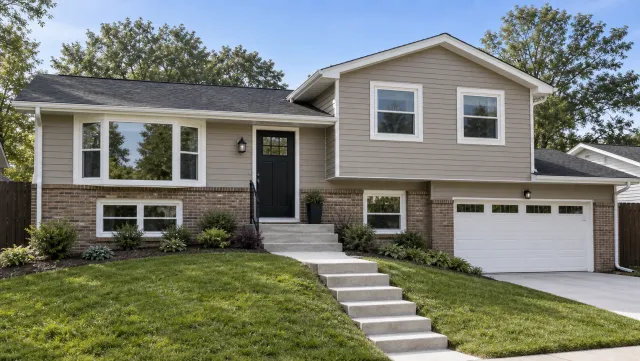
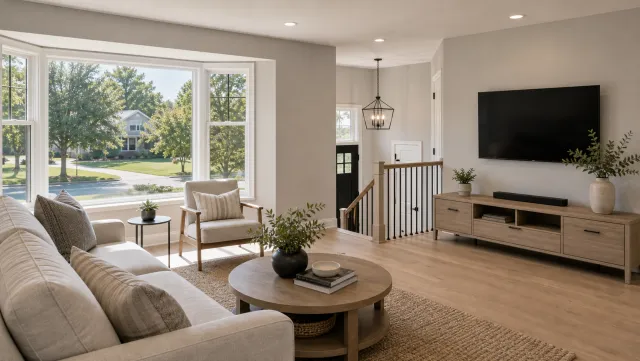
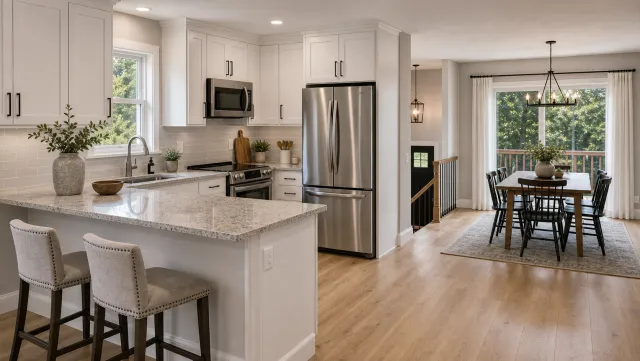
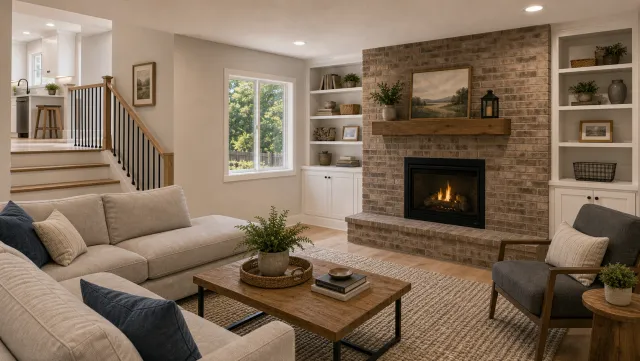
5 listing photos
1 finished video
An ai real estate video editor handles the repetitive production steps: syncing captions to the voiceover timing and exporting each format at the correct resolution for the target platform.
Make a condo listing video
Upload your photos and get a finished video back in about two minutes.
Captions and hooks for condo listings (copy-paste)
Strong condo captions lead with the location or a standout building feature, then add the price and the call to action. Below are ready-to-use hooks organized by video type. Replace the brackets with your listing details.
Just-listed hooks
- [Beds] bed, [Baths] bath in the heart of [Neighborhood]. Now listed at $[Price].
- Floor [XX] at [Building Name]. [Neighborhood], [City]. Views every morning. $[Price].
- [Neighborhood] living at $[Price]. [Beds] bed, [Baths] bath. Link in bio to see inside.
- Lock up and go. [Building Name] just listed at $[Price].
- [XX]-story [City] views and [Beds] beds. $[Price]. Showing link in bio.
Amenity-focused hooks
- Rooftop pool. Concierge. [Beds] bed at $[Price]. This is [Building Name].
- Gym, rooftop, and [Neighborhood] on your doorstep. $[Price].
- No maintenance. No yard. Just a [Beds]-bed in [Neighborhood] at $[Price].
- [Building Name]: [Amenity 1], [Amenity 2], [Amenity 3]. Listed at $[Price].
Neighborhood and walkability hooks
- [Coffee Shop Name] is a two-minute walk. [Building Name] at $[Price].
- [Transit Stop] is 30 seconds from the front door. [Beds] bed, $[Price].
- Walk Score [XX]. [Neighborhood], [City]. $[Price]. Floor plan link in bio.
- Everything you need within four blocks. [Building Name] at $[Price].
Closing calls to action
- Full video tour in the link. DM to schedule a private showing.
- Save this and send it to your agent.
- Showing slots are filling. Link in bio to book yours.
- More photos and the floor plan at the link.
Post the vertical 9:16 cut with a just-listed hook on launch day, then schedule the neighborhood walk and the amenity tour for days two and three. That cadence gives the listing three separate organic reach moments in the first 72 hours. The real estate videos for social media guide maps platform-by-platform timing for each cut.
Use a real estate video maker to bake these captions into the video as on-screen text so viewers who watch on mute still get every detail. The real estate video templates guide covers condo-friendly fonts and caption layouts.
Condo listing video FAQ
The most common condo video questions center on which type to produce first, how to distribute across platforms, and which format earns the most plays.
Frequently asked questions
Start with a building amenity tour and a unit walkthrough. The amenity tour covers the gym, pool, rooftop, and lobby in 30 to 45 seconds. The unit walkthrough takes buyers from the front door to the best room in about 60 seconds. Post both on the day the listing goes live for maximum first-day reach.
Post the 9:16 vertical cut to Reels, TikTok, and Shorts on launch day. Post the neighborhood walk on day two and the amenity tour on day three. Use the 1:1 square cut in email and the 16:9 cut on the listing page and YouTube. The three-day cadence delivers three separate organic reach moments in the first 72 hours.
Export three formats from every condo listing project: 9:16 for Reels, TikTok, and Shorts; 1:1 for the feed and email; and 16:9 for the listing page and YouTube. The vertical 9:16 format earns the most plays on social platforms, so prioritize that cut if you have time for only one format.