
A great real estate video grabs a buyer in the first three seconds and holds them long enough to book a showing. The 15 examples below cover every common listing situation, from a 15-second just-listed teaser to a 90-second luxury showcase, each with a note on why it works and a comparison table at the end to choose the right format for any listing.
15 real estate video examples that convert, organized by type
The strongest listing videos fall into five categories: listing tours, social teasers, agent brand videos, market updates, and photo-animated clips. Each category solves a distinct goal, and the best examples share three traits: a hero-feature hook within the first three seconds, captions burned in, and a run time under 90 seconds.
1. Cinematic listing tour
A 60 to 90 second horizontal walkthrough with slow push shots, licensed instrumental music, and a price-and-bed-count card at the close. Exported in 16:9 for YouTube and listing pages.
Why it works: The two to three second clip pace matches the mental rhythm of touring a home in person. Buyers watch longer when the cuts land on the beat and the room changes keep the eye moving.
2. Vertical phone tour
A 30 to 45 second 9:16 portrait video filmed on a phone, cutting straight through the entry, kitchen, primary suite, and backyard in that order.
Why it works: The vertical format fills a phone screen on Reels and TikTok. No crew required means the video can post the same day the listing goes live.
3. Just-listed teaser
A 15 to 20 second vertical clip: exterior approach, two or three interior seconds, price card with the agent’s handle in the final frame.
Why it works: Short enough to replay without fatigue. The price card gives a buyer a reason to tap the link in bio rather than keep scrolling.
4. Photo-animated listing video
Generated from 12 to 20 still photos: each image receives a motion effect (gentle zoom or pan), listing facts are overlaid as text, and PropFade renders 9:16, 1:1, and 16:9 formats in about two minutes. The real estate video maker runs this process from photo upload to finished export.
Why it works: Covers the listings where filming is difficult: vacant homes, bad-weather days, or an agent with ten or more active listings at once. One photo upload produces the full format set without a camera or editing session.
5. Aerial drone overview
A 30 to 45 second 4K aerial cut showing lot size, street layout, and proximity to parks or commercial corridors. Usually posted alongside the ground-level tour.
Why it works: Relocation buyers who do not know the neighborhood rely on aerial context more than locals do. The overhead view answers “where is this” before they click to street view.
6. Agent intro video
Thirty to 45 seconds, agent direct to camera, name and primary market on screen, two or three sentences on what they specialize in.
Why it works: Buyers who watch an agent intro before a showing arrive with context about who they are meeting. It shortens the trust-building period at the front door.
7. Client testimonial
One client on camera after closing, running 30 seconds. The most effective versions show a concrete result as on-screen text: days on market, or the relationship between list price and final sale price.
Why it works: A testimonial with a specific outcome reads as verifiable social proof. It also ranks in the agent’s name search results alongside active listings.
8. Open house invitation
A 15 to 20 second clip with “join us Saturday” text, plus the address, date, and start time on screen. Posted 48 to 72 hours before the event.
Why it works: The short format is easy to boost as a paid social post. The event date creates a concrete deadline, which raises tap-through rates compared to an evergreen listing post.
9. Just-sold announcement
A 20 to 25 second clip using the original listing tour footage, with a SOLD overlay added in post alongside days on market and a list-to-sale note.
Why it works: Repurposes footage the agent already has. The just-sold format acts as a proof point for sellers who search the agent’s name before requesting a listing appointment.
10. Before/after renovation reveal
A split-screen or cut between original listing photos and photos after staging or renovation. Runs 30 to 45 seconds, and the 1:1 square format plays well on both the feed and in Stories.
Why it works: Visual contrast between the two states is the highest-engagement pattern on most platforms because the viewer completes a mental comparison. The gap between the states earns replays.
11. Neighborhood guide
Forty-five to 60 seconds of b-roll from walkable spots: a coffee shop, a park entrance, a transit stop, a restaurant corridor. No voiceover required when text overlays name each location.
Why it works: Neighborhood-search buyers often have no target address yet, so a neighborhood video attracts an earlier-stage audience. The real estate walk through video guide covers how to blend neighborhood footage into a full property tour.
12. Market update talking head
A 45 to 60 second talking head. The agent names the local median price, the current days-on-market figure, and one takeaway for buyers or sellers in that market.
Why it works: Posted monthly, the market update builds an audience of potential clients who track local data before they are ready to transact. It positions the agent as a data source rather than a promotional account.
13. Luxury showcase
Ninety to 120 seconds: slow room reveals, a cinematic color grade (cooled highlights, lifted shadows), orchestral or piano music, minimal text. Posted in 16:9 on YouTube and as the hero video on the listing page.
Why it works: The extended run time signals that the property warrants careful viewing. Pace communicates price point; a luxury listing cut like a 20-second teaser reads as underpriced.
14. Land or lot walkthrough
Thirty to 45 seconds of drone or walking footage over the parcel, with acreage, zoning category, and utility availability as text overlays.
Why it works: Lot buyers are data-first. They need the numbers before aesthetics matter, so text carries the content rather than visual impression alone.
15. Square social feed video
A 1:1 crop of the listing tour, posted to the Facebook or Instagram feed with a prominent address banner at the top of the frame.
Why it works: The square crop avoids the black bars that appear when horizontal video plays in a feed. The address banner in the first frame anchors the post for buyers skimming by neighborhood. Real estate video tours often originate as a 16:9 cut and get cropped to 1:1 for the feed version.
What to steal from top-performing real estate videos: hooks, pacing, and calls to action
The first three seconds decide the watch rate. Top-performing listing videos open on the property’s best feature, cut on the beat, and show key text (price or address) within five seconds.
Every example above opens with a visual that answers the buyer’s first question: is this worth my attention? The opening shot is always the property itself: the exterior, the kitchen, or the home’s single standout feature.
Pacing matters as much as the opening. The two to three second clip rule applies across all 15 types. Clips that run five or more seconds lose the scroll on Reels and TikTok, where most listing discovery now happens.
On-screen calls to action perform best at the 20 to 25 second mark, after the buyer has seen enough to want more. A short text prompt (“Schedule a showing” or “See the full tour”) paired with the agent’s handle outperforms a voiceover ask on the same content.
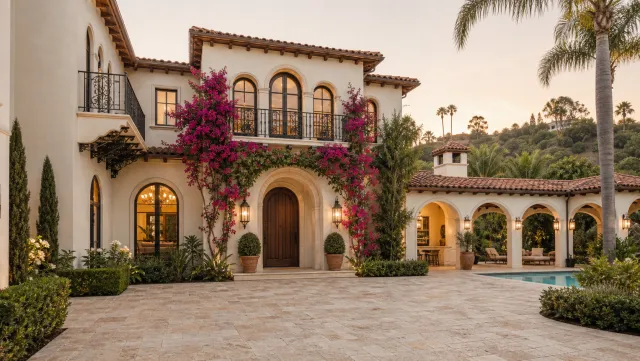

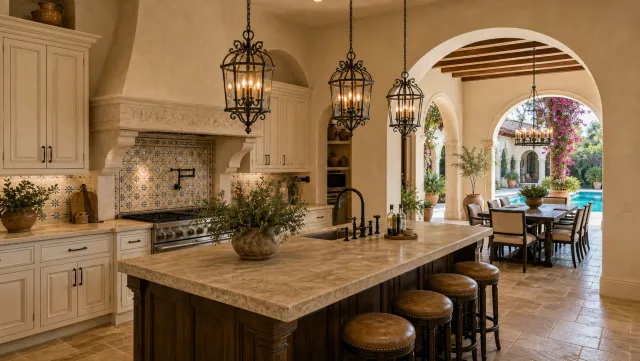

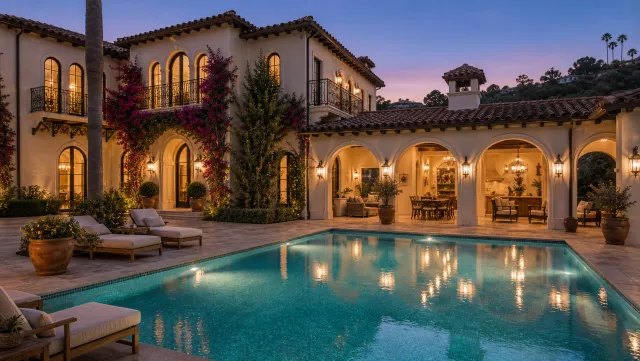
5 listing photos
1 finished video
Tips to apply these real estate video examples to your own listings
Choose one video type per listing and execute it well, rather than attempting two or three formats at once. An agent who posts the same format consistently builds audience recognition across every listing in their market.
Start with the type that costs the least to produce. For most agents that is the vertical phone tour or the photo-animated video: both require no special equipment and produce a usable result on the first attempt.
Reuse footage across formats. A 60-second cinematic tour can be trimmed to a 20-second just-listed teaser, then repurposed six to eight weeks later as a just-sold announcement using the same source clips. One filming session covers three post types.
For agents handling a high volume of listings, an ai real estate video editor cuts editing time by turning each new photo set into the same three platform formats. The real estate video editing guide walks through that workflow from raw clips to final export.
How we selected these 15 real estate video examples
Each example comes from a format type that performs across two or more listing platforms: Reels, YouTube, the MLS listing page, and the agent’s website.
The selection criteria: the format must be producible by a solo agent without a production crew, the run time must fit the native format of at least two platforms, and the core goal must be legible within the first five seconds. Formats that require dedicated crews or equipment most agents do not own are excluded, because a useful example needs to be replicable.
Drone footage appears as one element in several examples here (examples 5 and 14) because affordable consumer drones are now widely accessible, but drone-only service bundles are excluded. Full cinematic multi-day shoots are also excluded on the same grounds.
At-a-glance comparison: which real estate video type fits your goal
The right format depends on the listing type, the publishing platform, and whether filming on site is possible. Use this table to choose.
| # | Example | Best for | Aspect ratio | Typical run time |
|---|---|---|---|---|
| 1 | Cinematic listing tour | Listing pages, YouTube | 16:9 | 60 to 90 sec |
| 2 | Vertical phone tour | Reels, TikTok, Shorts | 9:16 | 30 to 45 sec |
| 3 | Just-listed teaser | Social posts, paid ads | 9:16 | 15 to 20 sec |
| 4 | Photo-animated video | High volume, no filming | 9:16 + 1:1 + 16:9 | 45 to 60 sec |
| 5 | Aerial drone overview | Rural, large lots | 16:9 | 30 to 45 sec |
| 6 | Agent intro | Profile, bio page | 1:1 or 9:16 | 30 to 45 sec |
| 7 | Client testimonial | Social proof posts | 1:1 or 16:9 | 30 sec |
| 8 | Open house invitation | Event posts, paid ads | 9:16 | 15 to 20 sec |
| 9 | Just-sold announcement | Seller prospecting | 9:16 | 20 to 25 sec |
| 10 | Before/after reveal | Staging, renovation | 1:1 or 16:9 | 30 to 45 sec |
| 11 | Neighborhood guide | Relocation buyers | 9:16 | 45 to 60 sec |
| 12 | Market update talking head | Monthly farming content | 16:9 | 45 to 60 sec |
| 13 | Luxury showcase | Luxury listings | 16:9 | 90 to 120 sec |
| 14 | Land or lot walkthrough | Vacant land | 16:9 | 30 to 45 sec |
| 15 | Square social feed video | Facebook, Instagram feed | 1:1 | 30 to 60 sec |
Choosing by platform: default to 9:16 for social distribution, 16:9 for listing pages and YouTube, and 1:1 when one cut needs to cover both the feed and square social. The real estate video hub covers full platform strategy.
Recreate any of these examples from listing photos
PropFade can recreate the photo-animated examples from a set of listing photos. Upload 12 to 20 listing photos, confirm the property facts, and export all three formats in about two minutes.
The photo-animated path works when filming is not possible: vacant homes, off-season weather, or several listings that need videos before weekend open houses. Each project applies motion effects, voiceover, and captions from the listing facts.
Make listing videos from photos
Upload your photos and get a finished video back in about two minutes.
Frequently asked questions
Effective real estate videos include the vertical phone tour (30 to 45 seconds, filmed on a phone for Reels and TikTok), the photo-animated listing video (generated from still photos in about two minutes), the just-listed teaser (15 to 20 seconds from exterior to price card), and the agent intro (30 to 45 seconds to camera). Each type serves a specific goal: tours attract buyers, teasers drive profile clicks, and agent intros build trust before a showing.
A real estate video converts when it opens on the property's best feature within the first three seconds, keeps each clip to two or three seconds so the pace holds attention, burns in captions for viewers watching on mute, and ends with a clear next step such as the agent's contact or a booking link. Format and length should match the platform: 9:16 for Reels and TikTok, 16:9 for YouTube and listing pages.
Short vertical videos in 9:16 format, running under 45 seconds, reach the most people on Reels, TikTok, and YouTube Shorts because those platforms distribute short-form content to non-followers. Among horizontal formats, the neighborhood guide and monthly market update attract the widest audience beyond a single listing because they answer questions buyers search for before they have a specific address in mind.