
Apartment prospects scroll past hundreds of listings. Whether the apartment is a rental, condominium, or co-op, a video that opens on the rooftop view or walks a prospect through a compact, well-designed floor plan gives your listing a different presence. The building, the amenities, and the neighborhood walkability matter as much as the square footage, and video is the only format that communicates all three at once.
This guide gives you 10 apartment-specific video ideas, a copy-paste shot list, captions ready to drop into any post, and a faster way to produce all three video formats from your listing photos. For the full real estate video framework, start with the pillar guide.
Best video ideas for an apartment listing
The strongest apartment listing video types are the floor plan walkthrough, the building amenities reel, the neighborhood walkability tour, the natural light and views showcase, and the 60-second social teaser. Each highlights a distinct reason someone chooses apartment living over a detached home.
1. Floor plan walkthrough (60 to 90 seconds)
Move through the unit in the order a buyer would walk it: entry, living area, kitchen, bedroom, bathroom, and balcony or terrace. Keep each clip to two to three seconds and film the sequence in a single session. A focused walkthrough answers the first question every prospect asks: how does the space actually flow?
Aim for 60 to 90 seconds on YouTube and your listing page, and cut a 30-second version for Reels and TikTok. The how to make a real estate video guide covers shot technique for tight interior spaces.
2. Building amenities reel (20 to 30 seconds)
Amenities close deals on apartments in a way they rarely do for detached homes. Rooftop lounges, fitness centers, co-working spaces, concierge desks, and resort-style pools each earn five to ten seconds of footage. Stack them into a 25-second reel and post it as a companion to the walkthrough.
Lead with the most distinctive amenity. A rooftop terrace with a city skyline view tends to outperform a standard fitness center as an opener when the view is the building’s most distinctive feature. Use completion rate and saves to confirm which opener performs best for your specific listing.
3. Neighborhood walkability tour (45 seconds)
Walkability is a primary filter for apartment buyers and renters in most urban and suburban markets. A 45-second video walking from the front door to the nearest transit stop, coffee shop, or park communicates location value that no address text can match.
Film during morning commute hours and frame it as “your Monday morning from this address.” This style performs well on Instagram Reels and draws shares from people who already live in the neighborhood.
4. Natural light and views showcase (15 to 30 seconds)
Upper-floor apartments with city skyline or park views are often sold in a single clip: the balcony door opening to the view. Film that shot first, use it as the hook in every post, and hold the view for at least three seconds before cutting.
Morning light before 11 a.m. is the warmest for east-facing windows. For city views, dusk is the most cinematic. Run a test clip to confirm exposure before committing to the full session.
5. 60-second social teaser with an upfront hook
Open on the strongest visual in the apartment: the view, the rooftop access, or the renovated kitchen. Hold the hook frame for two to three seconds before cutting into the tour. Burn the price, floor, and address as captions in the first five seconds so buyers decide quickly whether to keep watching.
Completion rate is a primary ranking signal on short-form platforms, and a strong first frame is what drives it. The real estate video marketing guide maps formats to platforms and cadence.
6. Virtual open house video (3 to 5 minutes)
A recorded open house, with the agent on camera walking through each room and narrating the features, generates long-form content that drives search and supplements shorter social clips. Post the full recording to YouTube and cut the best 60 seconds for Reels.
This format works especially well for new developments and pre-construction apartments where buyers cannot visit in person.
7. Before-and-after renovation reel
If the unit is newly renovated, a side-by-side comparison of the previous condition and the current state is a reliable hook. Two clips from the same camera angle, before and after, with a price reveal at the end, performs consistently on short-form video.
Source the before photos from the prior MLS listing, the owner, or the contractor’s records.
8. “A day in this building” lifestyle video (60 to 90 seconds)
Show what a resident’s day looks like: morning coffee in the co-working lounge, an afternoon workout in the fitness center, evening on the rooftop. This framing sells the lifestyle alongside the unit, and lifestyle content often generates more organic engagement than a straight property tour.
This style requires two to three on-site visits but produces a full week of social content from a single building.
9. Neighborhood commute comparison (45 seconds)
If the building offers multiple transit options, a short video showing walking times to key destinations helps buyers decide faster. Burn the times as on-screen text: “8 min walk to Union Station. 12 min to the Financial District.”
Pull transit times from a maps app on the day you shoot, and note the date so the times stay accurate during the listing period.
10. Drone building exterior (15 seconds)
A drone shot of a mid-rise or high-rise building establishes scale and location in five seconds. Overlay the floor number and compass orientation of the unit’s view so buyers can visualize the specific sightlines they would get.
Drone operations near buildings require a licensed pilot (FAA Part 107 certified in the US). Session costs in most markets run between 150 and 400 dollars for a 15-minute shoot.
Apartment listing shot list: every clip to capture
A complete apartment shot list covers 10 to 12 clips: building exterior, lobby and elevator, each main room in the unit, balcony or terrace, one building amenity, and at least one neighborhood exterior shot. This list works for a phone or a professional camera rig.
Apartment listing shot list
- Building exterior, slow approach from the sidewalk (hook for the building reel)
- Lobby, mailroom, or main building entrance (establishes building quality and character)
- Elevator doors opening, or stairwell leading to the floor (establishes height and building access)
- Front door, reveal shot as it opens into the unit
- Living area, one wide shot showing the full room
- Kitchen, a slow pan across the counters, island, and appliances
- Bedroom, a natural light shot from the doorway
- Bathroom, a close shot of tile work, fixtures, or a standout renovation detail
- Balcony or terrace: hold the view for at least five seconds
- Building amenity: gym, rooftop, pool, or co-working lounge
- Neighborhood exterior: a transit entrance, a park, or a recognizable local destination
- Closing building shot at golden hour or dusk (the emotional close)
Copy-paste apartment shot list:
- Building exterior, slow approach from the sidewalk (hook for the building reel)
- Lobby, mailroom, or main building entrance (establishes building quality and character)
- Elevator doors opening, or stairwell leading to the floor (establishes height and building access)
- Front door, reveal shot as it opens into the unit
- Living area, one wide shot showing the full room
- Kitchen, a slow pan across the counters, island, and appliances
- Bedroom, a natural light shot from the doorway
- Bathroom, a close shot of tile work, fixtures, or a standout renovation detail
- Balcony or terrace: hold the view for at least five seconds
- Building amenity: gym, rooftop, pool, or co-working lounge
- Neighborhood exterior: a transit entrance, a park, or a recognizable local destination
- Closing building shot at golden hour or dusk (the emotional close)
Capture each shot twice, a safe take and a better take. Hold the balcony view for five seconds minimum so the editor has room to work. For smooth movement through compact rooms and hallways, the real estate video tours guide covers stabilization techniques for tight interiors.
Phone settings for apartment interiors:
| Setting | Value | Reason |
|---|---|---|
| Resolution | 4K | Preserves room detail and allows cropping |
| Frame rate | 30 fps | Natural motion for property tours |
| Orientation | 9:16 vertical | Fills Reels, TikTok, and Shorts |
| Exposure lock | Tap and hold on mid-tones | Prevents flicker when walking past bright windows |
| Grid | On | Keeps horizon lines level in compact rooms |
Apartments often have proportionally larger windows than detached homes, which creates high-contrast lighting. Lock exposure on the mid-tones, not on the window glass itself, and let the light bloom slightly behind the subject. The result reads as airy.
Add music for your real estate video in post. A licensed track at low volume, cut to the beat, makes a phone walkthrough feel polished without requiring any additional equipment.
The fastest way to make an apartment listing video
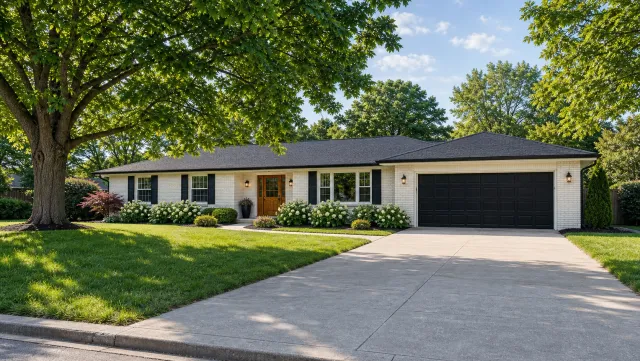
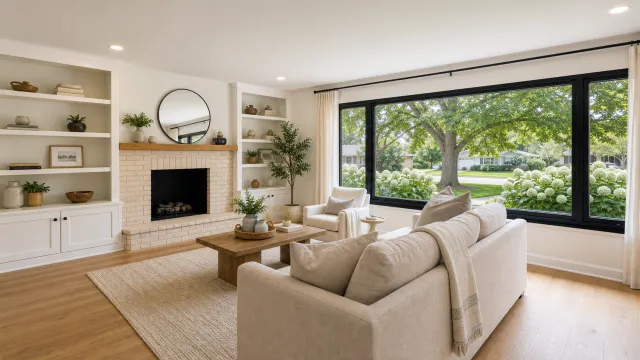
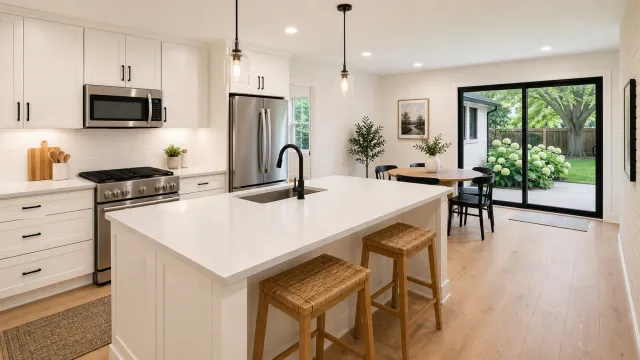
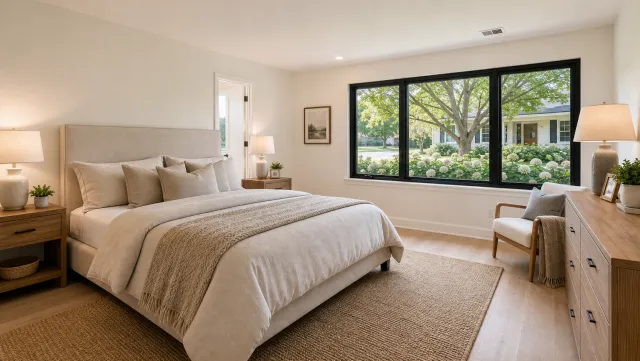
Upload 12 to 20 listing photos to PropFade, confirm the listing details, and it renders three finished formats (9:16, 1:1, and 16:9) in about two minutes, with captions and voiceover included.
PropFade animates each photo with motion, drafts a voiceover from the listing details you enter (price, beds, baths, address, key features), adds captions, and exports all three cuts from one project. The result is a polished video even when an on-site filming session was not possible.
This path is especially practical for apartments because listing photos already capture the key selling points: the view from the balcony, the renovated kitchen, the lobby, and the building amenities. Animating those stills with motion gives each photo a sense of depth and space.
5 listing photos
1 finished video
The three formats cover a full publishing week: vertical to Reels and TikTok, square to the Instagram and Facebook feed, and landscape to the listing page. For hands-on customization of the output, the real estate video editing services page covers how to adjust cuts, captions, and branding.
Make an Apartment Listing Video
Upload your photos and get a finished video back in about two minutes.
Copy-paste captions and hooks for apartment listings
The strongest apartment listing captions lead with the view, the price, or a standout building amenity, state the key specs in the first line, and close with a booking call-to-action. These 12 captions are ready to copy and drop into any platform.
12 copy-paste apartment captions
1. Views like this at [price]. [Beds] bed, [baths] bath on the [floor]th floor in [neighborhood]. DM to book a tour.
2. Your apartment search ends here. [Beds] bed, [baths] bath, rooftop access, [walking distance] to [transit stop]. [Price]/mo.
3. Studio with a smart layout in [neighborhood]. [Sq ft] sq ft, in-unit laundry, [amenity]. [Price]. Apply link in bio.
4. The gym is in the building. The park is across the street. [Price], [beds] bed in [city/neighborhood].
5. [Floor]th floor. [City] skyline. [Beds] bed. [Price]/mo. Tour by video or in person, link in bio.
6. Renovated [year]. New kitchen. New bath. [Beds] bed, [baths] bath, [neighborhood]. [Price].
7. A Friday night from this address: dinner two blocks away, rooftop at sunset, parking included. [Price], [beds] bed.
8. Bright. South-facing. [Beds] bed in [neighborhood]. The [landmark or park] view from the bedroom window is real. [Price]/mo.
9. Co-working lounge, rooftop, concierge. [Building name] in [neighborhood]. [Beds] bed from [price]. Units moving fast.
10. [Sq ft] sq ft in [neighborhood]. One block to [transit stop]. [Price]/mo. DM to schedule a showing this week.
11. Dog-friendly. Rooftop. [Neighborhood]. [Beds] bed from [price]/mo. The lease and the lifestyle.
12. This one shows better on video. [Beds] bed, [baths] bath in [city]. Full tour link in bio. [Price].
Hooks that perform for apartment content:
- “First look: [building name]” (works for new developments and building relaunches)
- “[Price] for this view?” (lead with price when it is competitive for the neighborhood)
- “Studio. Smart. [City].” (three-word hooks stop the scroll)
- “Day one in [neighborhood]” (lifestyle framing outperforms specs-first for discovery content)
- “[N] reasons this apartment rents in 48 hours” (listicle framing drives saves and shares)
Match the hook to the opening clip. A walkthrough starts on the door reveal. An amenities reel starts on the pool or rooftop. A neighborhood tour starts outside, walking toward the camera. The caption’s first line and the video’s first frame need to agree for completions to hold.
The ai real estate video editor can auto-generate captions matched to each clip from the listing details you enter, cutting the copywriting step entirely.
For production support or a full-service approach to apartment listing video, the real estate video services page covers what is available by market and budget.
Apartment listing video FAQ
Apartment listing video questions typically focus on the best video type, ideal length, and format for social and listing pages. The answers below cover all four.
Frequently asked questions
Start with a 60-second floor plan walkthrough covering entry, living area, kitchen, bedroom, bathroom, and balcony. Add a 25-second building amenities reel showing the gym, rooftop, or pool. Those two videos answer the questions buyers ask first and give you content for a full week of posts.
Post the 9:16 vertical walkthrough to Reels and TikTok, the 1:1 square cut to your Instagram and Facebook feed, and the 16:9 landscape cut to your listing page and YouTube. Lead each caption with the strongest feature (view, price, or amenity), state the specs in the first line, and close with a booking link.
9:16 vertical is the highest-reach format for apartments on Reels, TikTok, and YouTube Shorts, where most mobile property discovery happens. Produce a 1:1 square cut for the Instagram and Facebook feed and a 16:9 landscape cut for your listing page. All three can be exported from a single PropFade project.
Keep social cuts between 30 and 60 seconds. A just-listed teaser runs 15 to 20 seconds. A listing walkthrough on a property page can extend to 90 seconds before engagement typically drops. For a recorded open house intended for YouTube, a 3 to 5 minute format works because that audience is actively researching a showing. On social, shorter almost always performs better.