
AI tools now cover every stage of a real estate listing: drafting the description, enhancing the photos, rendering the listing video, and scheduling posts to each platform. The full workflow runs from raw listing photos to a published, multi-format video in under an afternoon.
This guide maps each stage, names the tools that handle it, and includes a copy-paste checklist you can run on your next listing today.
The AI listing workflow: photos to published listing in minutes
The AI listing workflow runs in four stages: upload photos, generate the description, render the video, and distribute to each channel. A photo-to-video tool handles the video render in about two minutes; AI text tools draft the MLS description in under 60 seconds.
Upload photos
Gather 12 to 20 listing photos and run them through an AI photo editor for exposure correction and sharpening before they enter the video workflow.
Generate the description
Paste property facts into an AI text tool, review the draft, and verify every detail against the MLS record.
Render the video
Upload the edited photos to a photo-to-video tool, pick a template, confirm the listing facts in the voiceover draft, and export the 9:16, 1:1, and 16:9 cuts from one project.
Distribute to each channel
Post the vertical cut to Reels and TikTok, the square cut to the feed and email, and the landscape cut to the listing page and YouTube.
Each stage is independent, so you can automate the parts that take the most time and handle the rest manually. Description writing and video creation are the biggest time sinks in listing prep, and AI tools compress both into minutes.
The workflow connects to the tools you already use. Feed the AI description directly into your MLS entry form, and export each video cut already sized for the platform: 9:16 for Reels and TikTok, 1:1 for the feed, and 16:9 for the listing page and YouTube.
For a broader picture of where AI fits into an agent’s daily work, the guide on how to use AI in real estate maps the full toolkit by task. The AI use cases in real estate roundup organizes every tool category so you can see where listings fit alongside lead generation, marketing, and communication.
Listing workflow checklist (copy and use on your next listing):
- Gather property facts: address, beds, baths, square footage, year built, and standout features
- Paste the facts into an AI text tool, review the draft, and verify every detail against the MLS record
- Run the listing photos through an AI photo editor for exposure correction and sharpening
- Upload 12 to 20 photos to your photo-to-video tool, pick a template, and confirm the listing facts in the voiceover draft
- Review the video: captions, music, logo placement, and voiceover facts
- Export the 9:16, 1:1, and 16:9 cuts from the same video project
- Post the vertical cut to Reels and TikTok, the square cut to the feed, the landscape cut to the listing page, and the square cut in your follow-up email
AI for listing descriptions: draft copy from property facts
AI generates a first-draft MLS listing description from property facts in under 60 seconds. Supply beds, baths, square footage, and a few standout features, and the output is a structured paragraph ready for review and light editing.
The review step is required, not optional. AI description tools produce fluent text that still needs a fact-check: every detail in the description must match the MLS data, and any proximity claim (close to downtown, near top schools) must be accurate and must not reference protected classes.
Most AI text tools let you specify the output length. Request a 150 to 300 word MLS version and a separate 50-word version for social captions in the same prompt and save yourself a second session.
Property facts that produce a strong description draft:
- Address and neighborhood name
- Beds, full baths, and half baths
- Total square footage and lot size
- Year built and major renovations (kitchen remodel, new roof, HVAC)
- Kitchen and primary suite highlights
- Outdoor space, views, or pool
- Garage spaces and storage options
- One or two features the seller values most
The description written once covers the MLS, the listing page, the email blast, and the social caption. Write a long form and a short form, then distribute both. For a full channel strategy that starts with the description and extends to paid ads, the AI for real estate marketing guide maps the entire plan.
AI for listing photos and video: enhance, stage, and animate
PropFade animates listing photos into three video formats from a single upload. Input 12 to 20 photos, pick a template, and the render completes in about two minutes. The output is a 9:16 vertical cut for Reels and TikTok, a 1:1 square cut for the feed, and a 16:9 landscape cut for the listing page and YouTube.
Before uploading, run the photos through an AI photo editor to correct exposure, adjust white balance, and sharpen the details. Stronger input photos produce a noticeably cleaner video without extra correction in the video tool.
Virtual staging tools can furnish empty rooms digitally before the photos enter the video workflow. A virtually staged photo shows buyers a furnished home rather than bare walls, and staged footage outperforms vacant-room footage on social.
Once the video renders, the export includes all three format cuts from one project. About 80 percent of social viewers watch video on mute, so burned-in captions carry as much weight as the voiceover audio.
The AI real estate video editor guide covers editing options and explains which template settings work best for different property types: starter homes, luxury listings, and vacant land.
Turn listing photos into a video
Upload your photos and get a finished video back in about two minutes.
AI for listing distribution: social, email, and ads
Once the video renders, AI distribution tools auto-generate captions, suggest hashtags, and schedule posts across Instagram, TikTok, and Facebook. The three video cuts map directly to each platform’s preferred format, so nothing gets cropped or re-exported.
Format-to-platform distribution guide:
| Format | Platform | Post type |
|---|---|---|
| 9:16 vertical | Instagram Reels, TikTok, YouTube Shorts | Short-form video |
| 1:1 square | Instagram feed, Facebook feed | Feed post |
| 16:9 landscape | Listing page, YouTube, email header | Embed or full-length video |
For email, embed the 16:9 cut above the listing description so buyers see the video before they read the copy. In email clients that block autoplay, use a static thumbnail linked to the listing page.
For paid ads on Meta, the 9:16 and 1:1 cuts drop directly into ad sets sized for Stories and feed placements. AI ad tools generate headline and body copy variants from the same listing description and test them without requiring a separate creative brief.
The AI for real estate agents hub covers the full distribution toolkit, including scheduling and tracking which format drives the most showing inquiries. For a deep dive on channel strategy by funnel stage, the AI for real estate marketing guide maps which formats perform at TOFU, MOFU, and BOFU.
Compliance and accuracy: fair housing and MLS rules
AI listing copy must comply with fair housing law and MLS accuracy requirements. Review every AI-generated description before publishing: verify all facts match the MLS record and remove any language that references race, religion, national origin, sex, disability, or familial status.
Fair housing rules apply beyond the MLS entry. They cover listing copy, photo captions, social post text, and paid ad headlines. AI tools generate language based on patterns in training data, and fair housing violations can appear in otherwise fluent, well-structured output.
MLS accuracy adds a second layer of review. Beds, baths, square footage, and lot size must match recorded measurements. Directional proximity claims such as “steps from the park” or “minutes from downtown” must reflect actual distances, not approximations.
Three checks before any AI listing description goes live:
- Verify beds, baths, square footage, and year built against the MLS data sheet
- Search the full text for demographic descriptions, neighborhood character statements, or phrases that imply a preferred buyer profile
- Confirm any proximity or school district claim is accurate and uses neutral, factual language
For photos and video, confirm that virtual staging adds only furniture and decor, not structural elements or views not present in the real property. A virtually staged room that shows a view or feature the home does not have is an MLS accuracy violation.

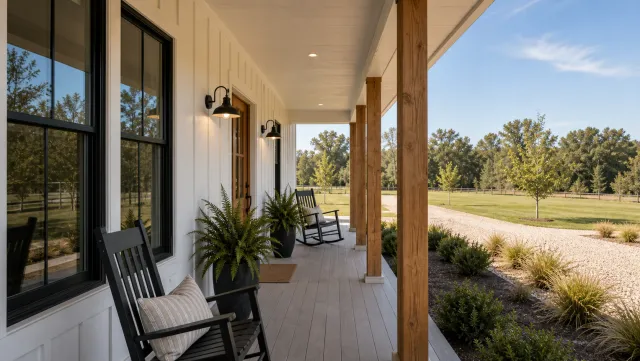

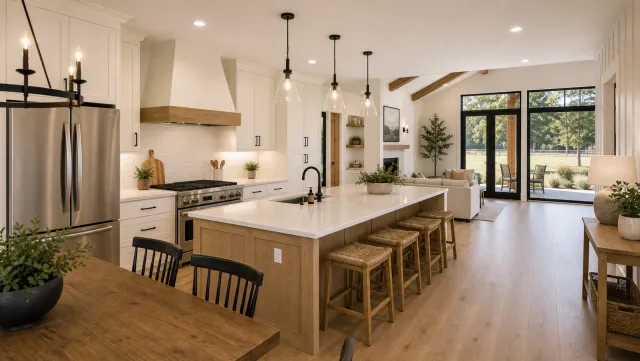

5 listing photos
1 finished video
AI listing tools by workflow stage:
| Stage | Task | Tool type |
|---|---|---|
| Description | Draft MLS copy from property facts | AI text generator |
| Photos | Exposure, sharpening, sky replacement | AI photo editor |
| Virtual staging | Furnish vacant rooms digitally | Virtual staging tool |
| Video | Animate photos into listing video | Photo-to-video tool |
| Captions | Auto-captions burned into each cut | Built into the video export |
| Social | Schedule multi-format posts | AI social scheduler |
| Ads | Generate headline and copy variants | AI ad tool |
Frequently asked questions
AI covers the full listing workflow: generating MLS descriptions from property facts in under 60 seconds, enhancing photos, virtual staging for vacant rooms, animating photos into listing videos in three formats (9:16, 1:1, 16:9) in about two minutes, and scheduling posts across social, email, and paid ads.
AI text generators produce a first-draft MLS description from property facts (beds, baths, square footage, standout features) in under 60 seconds. Review the output before posting: verify every detail matches the MLS record and check for fair housing compliance.
PropFade makes a listing video from 12 to 20 listing photos. Upload the photos, pick a template, confirm the listing facts, and the render takes about two minutes. The output includes three formats: 9:16 for Reels and TikTok, 1:1 for the feed, and 16:9 for the listing page and YouTube.