
AI tools now handle the most time-consuming parts of a real estate marketing cycle: writing listing descriptions, generating social captions, producing listing videos, drafting email sequences, and targeting paid ads. Each of those tasks used to take 30 to 90 minutes per listing; most take under five minutes with the right tool.
This guide covers the five channels AI handles for real estate agents, eight ready-to-run workflows with specific inputs and outputs, a channel-by-channel tool table, and a copy-paste 1-week marketing plan for your next listing.
What AI can do for real estate marketing
AI covers five marketing channels for real estate agents: listing video, listing copy, social captions, email sequences, and paid advertising. Most agents start with copy because it requires no extra setup, then add video once they see the time savings.
Listing copy. A prompt with the address, bed/bath/sqft, three standout features, price, and neighborhood produces a full MLS description in seconds. The same brief generates a caption set, an email subject line, and ad headlines at the same time. Specialized tools like ListingAI and RealEstateContent.ai are built around this brief-to-copy workflow.
Listing video. Short-form video is among the highest-leverage listing assets on Reels, TikTok, Shorts, and social feeds. PropFade takes 12 to 20 listing photos, adds motion, pairs a voiceover drafted from the listing facts, lays in captions and music, and exports three ready-to-post formats: 9:16 for Reels and TikTok, 1:1 for the feed, and 16:9 for the listing page and YouTube. The full render takes about two minutes.
Social captions. An AI caption set for one listing typically includes 5 to 10 variations: a hook-led Instagram caption, a Facebook question post, a short TikTok text overlay, and a LinkedIn version pitched at a professional tone. Scheduling tools post each variation across the week without manual entry.
Email and CRM. AI drafts the just-listed announcement, the initial inquiry reply, and the three-part follow-up sequence. Most real estate CRMs (kvCORE, Follow Up Boss, Lofty) include native AI assist so the draft appears inside the tool where agents already work.
Paid advertising. Meta Advantage+ and Google Performance Max auto-generate headline and body-copy variants, then test them against the audience and adjust bids in real time. A seven-day ad flight typically surfaces a winning variant without manual A/B management. Real estate listing ads on Meta must be designated as Special Ad Category: Housing, which removes ZIP-code targeting and restricts age and gender filters under the Fair Housing Act. Select it before publishing; Meta’s automated detection applies the restrictions anyway when real estate imagery appears in the creative.
For a breakdown of where AI fits across prospecting, listings, and closings, the ai use cases in real estate guide maps every workflow by stage. The ai for real estate agents hub covers tools across the full business.
8 AI marketing workflows for real estate listings
Eight AI workflows cover a full listing launch: video from photos, MLS copy, caption set, email blast, ad copy, neighborhood script, follow-up drip, and open-house recap. Each workflow below names the input, the tool, and the output.
1. Listing video from photos. Input: 12 to 20 listing photos, address, price, standout features. Tool: PropFade. Output: three MP4 formats (9:16, 1:1, 16:9) with motion, voiceover, captions, and music, rendered in about 2 minutes. Post the 9:16 vertical cut to Reels and TikTok on day one of the listing.
2. MLS description and social copy. Input: address, bed/bath/sqft, three standout features, price. Tool: ChatGPT, Claude, or ListingAI. Output: a 150- to 250-word MLS description plus a condensed social version. Paste the MLS draft, copy-edit for compliance, then shorten to a caption.
Reusable listing brief (paste directly into any LLM): “Write an MLS property description under 250 words and a 3-line Instagram caption for this listing. Keep all copy factual and compliant. [Address: ___] [Beds / Baths / Sqft: ___] [Three standout features: ___] [Neighborhood: ___] [Asking price: ___] [Open house date if any: ___]”
Compliance checklist before posting any AI-generated copy:
- Verify every fact (beds, baths, sqft, price) against the MLS data sheet
- Remove any language that references or implies protected class characteristics (familial status, national origin, disability, religion, etc.)
- Add a “virtually staged” disclosure wherever staging AI was used on photos
- For Meta ads, select Special Ad Category: Housing in Ads Manager before the ad goes live
3. Social caption set. Input: listing facts plus three tone words (e.g., “bright, modern, walkable”). Tool: any LLM with a real estate caption prompt. Output: 5 to 10 caption variations across Instagram, Facebook, TikTok, and LinkedIn. Schedule one per day for the first week of the listing.
4. Just-listed email announcement. Input: listing URL, headline feature, price, open-house date. Tool: ChatGPT or a CRM with native AI. Output: a subject line plus a 100-word email body with a booking link. Send to your buyer list the morning the listing goes live.
5. Facebook and Instagram ad copy. Input: price, neighborhood, two or three buyer benefits, call-to-action. Tool: ChatGPT or Meta’s built-in AI copy tool. Output: three headline variants and two body-copy variants for an A/B set. Before launching, select Special Ad Category: Housing in Meta Ads Manager; this is required under the Fair Housing Act and removes ZIP-code and demographic targeting filters. Launch on day two and let each variant accumulate meaningful spend or lead volume before pausing the underperformer.
6. Neighborhood script. Input: walkability score, three nearby attractions, school ratings, drive time to the city center. Tool: ChatGPT. Output: a 60-second narration script for a neighborhood video. Record a voiceover yourself, or paste the script into your video tool’s voiceover field.
7. Follow-up drip sequence. Input: lead name, the property they inquired about, the next step you want them to take. Tool: ChatGPT or a CRM sequence builder (Follow Up Boss, kvCORE, Lofty). Output: a three-message drip: day-1 acknowledgment, day-3 value add, day-7 check-in. Load into your CRM automation, then customize the value-add message per property type.
8. Open-house recap post. Input: number of groups through, a memorable buyer reaction, the asking price. Tool: any LLM. Output: an Instagram caption and a short email to the seller. Post within two hours of the open house while the moment is fresh.
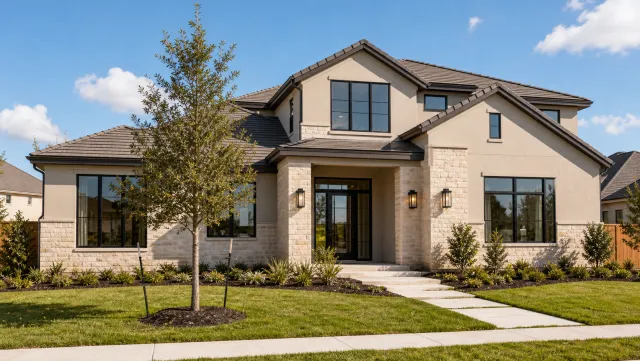


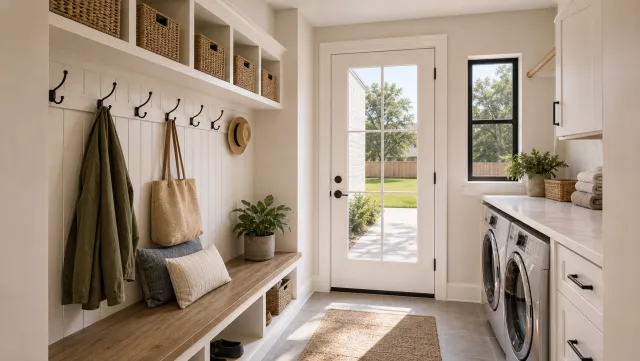

5 listing photos
1 finished video
Best AI marketing tools by channel
The best AI marketing tools for real estate agents, by channel: a photo-to-video tool for listing video, ChatGPT or a real estate-specific tool for copy, a native AI CRM for email, and Meta Advantage+ or Google Performance Max for paid targeting.
| Channel | Tool | What it produces | Notes |
|---|---|---|---|
| Listing video | PropFade | Three video formats with voiceover, captions, and music | Fastest photo-to-video path for listings |
| Listing copy | ChatGPT, Claude, ListingAI | MLS descriptions, caption sets, email teasers | Use a consistent prompt template per listing type |
| Social captions | RealEstateContent.ai, ChatGPT | Daily caption sets and hashtag suggestions | Schedule with Later or Buffer |
| Email and CRM | kvCORE, Follow Up Boss, Lofty | Sequences, follow-ups, AI drafting built in | Check current pricing; most full-platform plans start above $50/month |
| Paid ads | Meta Advantage+, Google Performance Max | Auto-generated ad variants with real-time bid optimization | Requires an ad budget, a Facebook pixel, or a Google tag |
| AI lead follow-up | YLOPO, Structurely | Instant text or phone response to new leads | Check current pricing; response speed is the core value |
| Virtual staging | Virtuali, Reimaginehome | Furnished renders from empty-room photos | Per-photo pricing; always disclose as virtually staged |
| Scheduling | Later, Buffer, Hootsuite | Queue posts across platforms at peak hours | Use for queuing the weekly listing cadence; check current plan limits before committing to automation |
The ai real estate video editor guide compares the video tools head-to-head on output quality and price.
Generate a listing video with AI
Upload your photos and get a finished video back in about two minutes.
A 1-week AI marketing plan for a new listing
This 1-week AI marketing plan covers Reels, feed posts, YouTube, email, and paid ads from one photo set and one listing brief, starting day one and finishing with a follow-up drip by day seven.
Day 1: Go live
- Upload 12 to 20 photos to a photo-to-video tool and export three video formats in about 2 minutes
- Post the 9:16 vertical cut to Reels and TikTok with an AI-drafted caption
- Paste the AI-generated MLS description into the listing and copy-edit for compliance
- Send the just-listed email to your buyer list
Day 2: Feed post and ad launch
- Post the 1:1 square cut to your Instagram feed and Facebook page
- Launch the Meta ad set using the three AI-generated headline variants (select Special Ad Category: Housing in Ads Manager before publishing)
- Reply to every comment and DM within the first hour; early engagement tells the algorithm to distribute the post further
Day 3: Email follow-up and ad check
- Send the day-3 follow-up to leads who clicked the day-1 announcement
- Check the ad set results: pause the underperforming variant and let the winner run
Day 4: Neighborhood content
- Post an AI-generated neighborhood caption covering walkability, schools, and three nearby spots
- Upload the 16:9 horizontal cut to YouTube with a location tag and the listing address in the title
Day 5: Open-house promo
- Generate open-house reminder captions with an AI tool and send the email blast
- Pin your best listing video to the top of your Instagram profile
Day 6: Open house
- Run the open house; note three buyer reactions or standout questions for the recap post
Day 7: Recap and next drip
- Post the AI-drafted open-house recap within two hours of closing
- Load any new leads into the CRM follow-up sequence
One listing brief and one photo set power the entire week across five channels. The how to use ai in real estate guide extends this logic to prospecting and buyer outreach. For the follow-up side, the ai lead generation real estate guide goes deeper on AI tools that respond to leads in seconds and score them by intent.
Frequently asked questions
AI handles listing copy, social captions, listing video, email sequences, and paid ad copy. The biggest time savers are photo-to-video tools that render three formats from listing photos in about 2 minutes and copy tools where a single listing brief generates an MLS description, caption set, and email subject line at the same time.
For video: PropFade turns listing photos into a three-format listing video with voiceover, captions, and music. For copy: ChatGPT or a real estate-specific tool like ListingAI. For email and CRM: kvCORE, Follow Up Boss, and Lofty all include native AI drafting. The right combination depends on where you spend the most time per listing.
Yes. Tools like ChatGPT and Meta's built-in AI copy generator draft Facebook and Instagram ad headlines and body copy from a short listing brief (price, neighborhood, two or three buyer benefits). Real estate ads on Meta require the Special Ad Category: Housing designation, which applies Fair Housing Act rules and removes ZIP-code and demographic filters. Generate your headline variants with AI, select Housing as the ad category in Ads Manager, then pause the underperformer once each variant has accumulated enough spend to show a clear result.